If you're training to become a business analyst, or you already work as one, you've probably noticed AI tools turning up in more of your...
Your First Day with Real Client Data
Your first week in an accounts assistant role can feel very different from your training exercises.
You log into Xero. You open a client folder. You see names, home addresses, invoice histories, payroll records, pension details, VAT entries, and perhaps notes about payment issues. At that moment, data protection stops sounding like office jargon. It becomes part of your professional identity.
When the work becomes real
A trainee bookkeeper might start with something simple. Post supplier invoices. Reconcile a bank feed. Review VAT coding. Those tasks sound routine, but each one can expose sensitive information. A supplier invoice may include a sole trader’s address. A bank transaction might show a salary payment reference. A VAT file could reveal a company’s trading patterns.
A payroll trainee faces even more obvious risk. Payslips, NI numbers, salary changes, sickness records, and bank details all require careful handling. One wrong email attachment or one exported spreadsheet saved in the wrong place can create a serious problem.
Business analysts and data analysts face a similar issue, even when their work seems less personal. A dataset used in Power BI or Excel may look anonymous at first glance. Then you notice customer IDs, postcodes, employee references, or combinations of fields that could identify someone.
Practical rule: If a file lets you identify a real person directly or indirectly, treat it as protected data from the start.
Why trainees get caught out
Most mistakes don’t come from bad intentions. They come from habits that feel harmless:
- Using your personal email: Sending a spreadsheet to yourself so you can “finish it later”
- Saving duplicate files: Downloading reports onto an unsecured device because it feels faster
- Sharing logins: Letting a classmate or colleague use your software access for convenience
- Over-collecting information: Asking for more client details than the task needs
These are exactly the moments where training data protection becomes practical, not theoretical.
If you’re trying to build confidence before stepping into a live role, getting exposure to realistic workflows helps. Seeing how firms handle confidentiality during placements or practical exercises can make the rules easier to understand. This guide to accounting work experience is useful because it connects training tasks to what employers expect in real office settings.
What responsible handling looks like
A careful trainee doesn’t need to know every legal clause by memory on day one. You do need a clear working mindset:
- Pause before opening or sharing a file
- Check whether you need the data in front of you
- Use the system your employer or trainer has approved
- Ask when you’re unsure instead of guessing
That habit alone can save you from the most common errors.
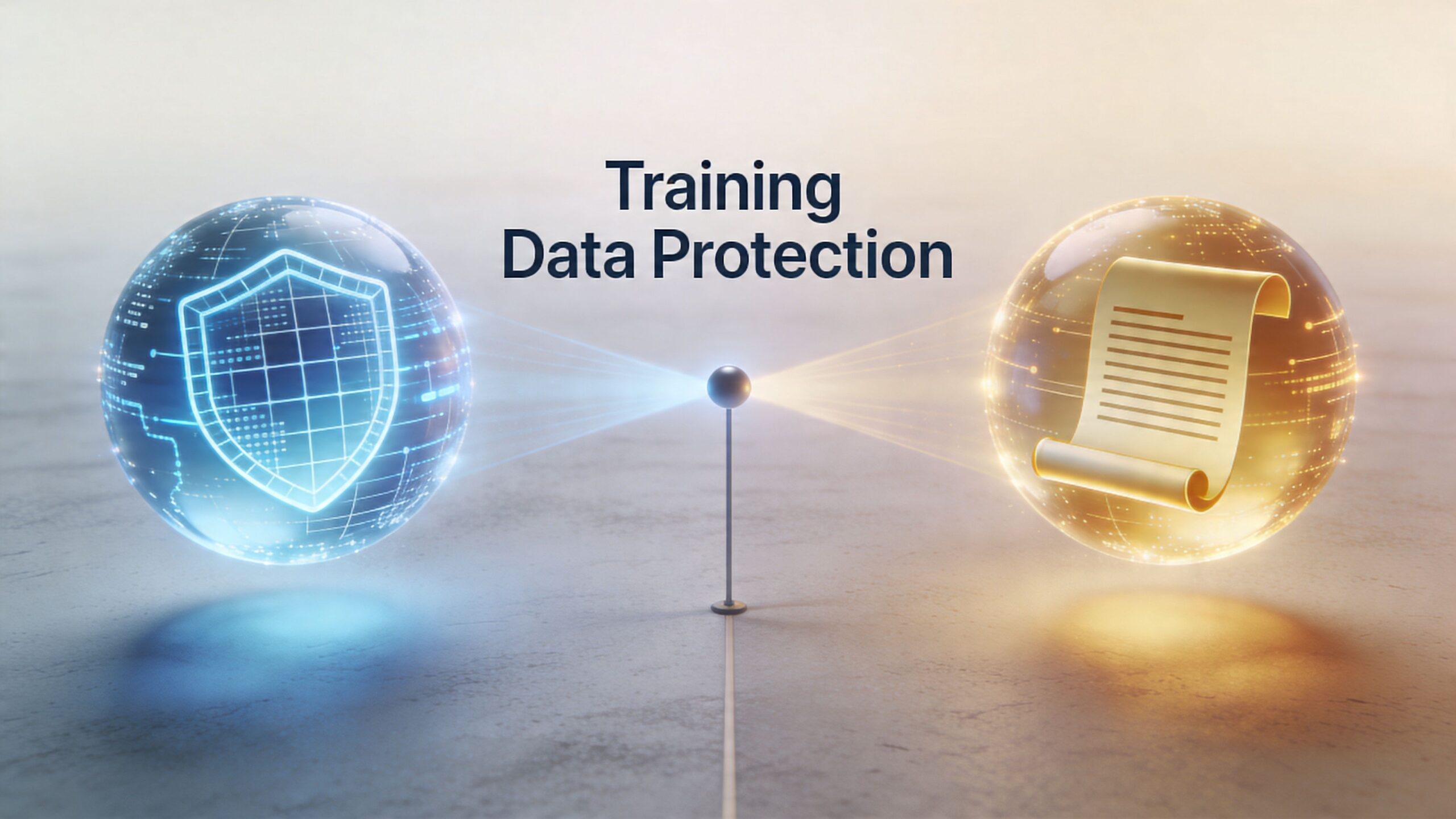
The Two Worlds of Training Data Protection
The phrase training data protection causes confusion because it refers to two separate ideas.
One belongs to the world of AI and machine learning. The other belongs to the world of staff training, compliance, and daily data handling. Both matter in modern workplaces, but they’re not the same job and they don’t require the same skills.
The first meaning
In AI, training data protection means protecting the datasets used to teach a model. That raises questions such as whether personal data appears in the dataset, whether the data was collected properly, and whether the model could reveal sensitive information later.
That topic matters, especially as more firms use AI tools in reporting, automation, and analysis. A data analyst might hear this meaning when working with large datasets, model development, or AI governance.
The second meaning
In professional training, training data protection means teaching people how to protect personal and sensitive data while they do their jobs. This is the meaning that matters most for aspiring accountants, payroll staff, accounts assistants, business analysts, and data analysts in the UK.
It covers things like:
- how to use access rights properly in Sage or Xero
- how to avoid sharing payroll exports carelessly
- how to apply data minimisation when collecting documents
- how to store, delete, and transfer files securely
- how to recognise your legal responsibilities under UK rules
Two meanings compared
| Aspect | Protecting AI Training Data | Training People on Data Protection |
|---|---|---|
| Main focus | Safeguarding datasets used to train AI models | Teaching staff and trainees how to handle data safely |
| Common setting | AI development, machine learning, model governance | Accounting, payroll, HR, finance, admin, analytics |
| Main question | Is the dataset collected, stored, and used properly? | Is the person handling data correctly in daily work? |
| Typical risks | Unauthorised use of source data, privacy leakage, weak governance | Human error, oversharing, poor storage, misuse of access |
| Skills needed | Data governance, technical controls, AI lifecycle awareness | Compliance awareness, role-based handling, secure work habits |
| Relevance to your early career | Useful context if you work with AI-enabled tools | Essential for day-to-day job performance |
Which world matters most to you
If you’re training in bookkeeping and VAT, advanced payroll, accounts assistant work, final accounts, business analysis, or data analysis, you’ll usually spend far more time in the second world.
That means your questions are practical. Can you export this report? Should you include full employee details in a training exercise? Who should see a payroll correction file? Is it safe to upload raw client data into a dashboard tool?
The safest trainee isn’t the one who knows the most jargon. It’s the one who knows when a task involves personal data and handles it with care.
That’s why role-specific training matters so much. A payroll learner needs one set of habits. A data analyst building reports from customer records needs another. A bookkeeping trainee in Sage needs training that reflects the exact screens, permissions, and workflows they’ll use at work.
Your UK Legal and Career Obligations
Once you start handling live information, data protection becomes both a legal issue and a career issue.
Employers don’t just want someone who can raise invoices, reconcile bank accounts, process payroll, or clean a dataset. They want someone they can trust with information that could harm a client, employee, or business if handled badly.
What the UK rules mean in practice
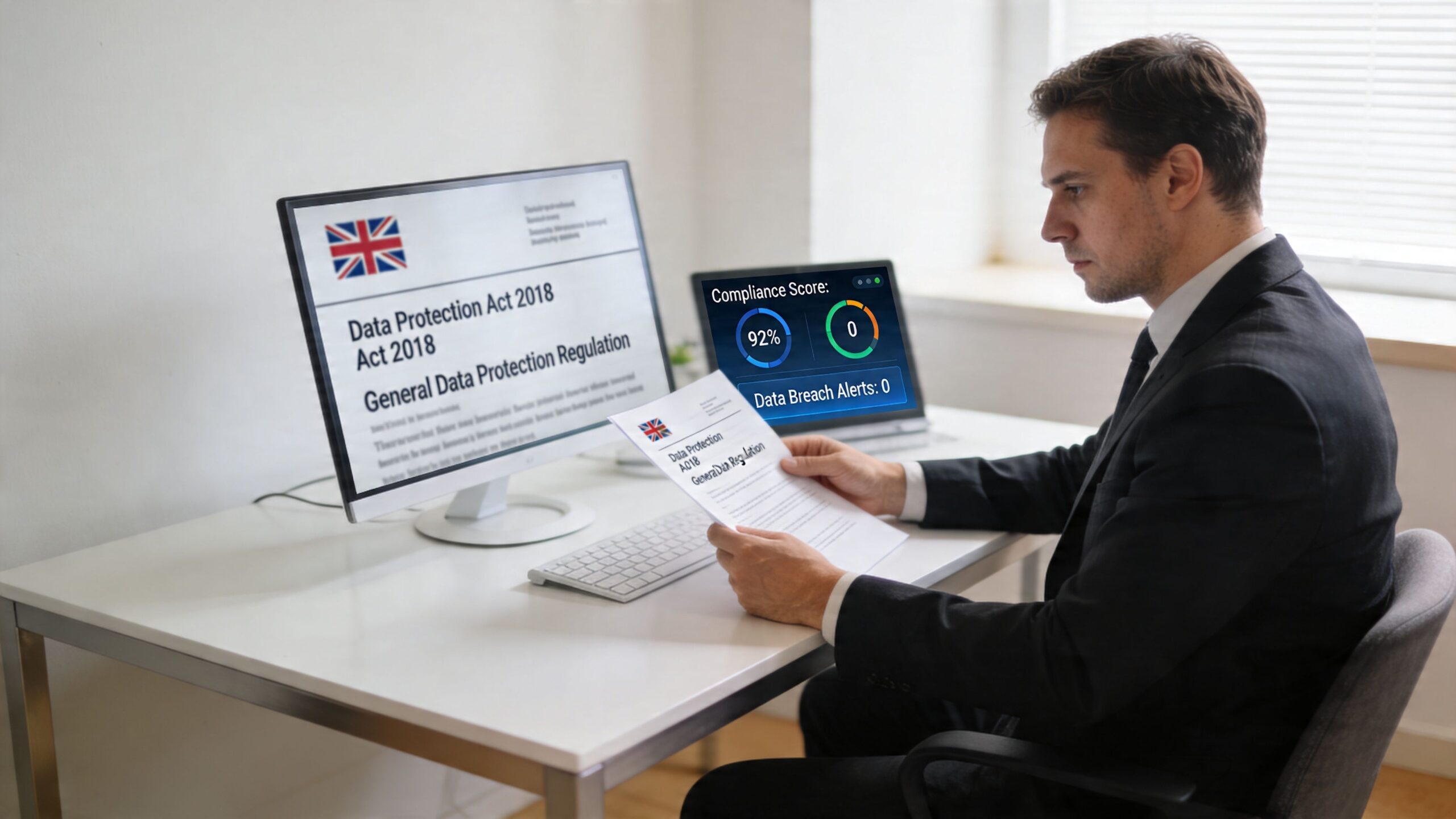
In the UK, organisations handling personal data work within the framework of the UK GDPR and the Data Protection Act 2018. The Information Commissioner’s Office, usually called the ICO, enforces those rules.
The legal language can look heavy at first, but the day-to-day idea is simple. If your role gives you access to personal information, you must handle it lawfully, carefully, and only for proper work purposes.
For trainees, that shows up in ordinary tasks:
- processing payroll records
- reviewing customer account details
- handling CVs and application forms
- exporting reports from accounting systems
- storing final accounts working papers
- preparing dashboards that include identifiable records
Why training matters to employers
The consequences of poor practice aren’t small. In the UK, the ICO issued fines totalling over £44 million in the 2023/24 financial year for serious breaches, and 51% of data breaches in the UK from 2022 to 2024 were caused by human error, often linked to insufficient training, according to Secureframe’s summary of privacy statistics. The same source notes that investing in cybersecurity training can reduce security risks by up to 70%.
That should change how you think about training data protection. It isn’t a side topic for compliance teams. It’s one of the clearest examples of how your daily habits affect legal risk.
A well-known example also shows how serious the issue can become. The ICO’s British Airways action resulted in a £20 million fine in October 2020, reduced from £22 million, following a 2018 data breach affecting 400,000 customers. The case highlighted failures in employee training and awareness as a contributing factor.
What employers notice
Recruiters and line managers often can’t fully test your judgement in a short interview. They look for signals.
They notice whether you:
- speak carefully about confidentiality
- understand why access should be limited
- know not to use client data casually in portfolio work
- recognise that software skills and data handling skills go together
That matters for CPD too. If you’re already working in practice or building your development plan, this overview of continuing professional development for accountants can help you think about data protection as part of your wider professional standard, not a separate admin task.
Later in your career, you’ll also be expected to read and follow policy documents properly. If you want a simple example of how organisations explain data handling responsibilities to users, a clear public-facing Privacy Policy can be a useful reference point. It helps you see how transparency looks in plain language.
The career risk of getting casual
A trainee often thinks, “I’m only helping with admin,” or “It’s just a spreadsheet.” Employers don’t see it that way.
If you mishandle data, they may question your judgement on everything else. Can you be trusted with month-end deadlines? With payroll changes? With client onboarding? With management reports? The issue spreads beyond one mistake because data handling reveals how you think.
A short explainer can also help reinforce the basics before you move into more complex cases:
What this means for your next role
You don’t need to present yourself as a legal specialist. You do need to show that you understand the weight of access.
Career insight: Software proficiency gets you considered. Trust with data helps get you hired.
That’s especially true in UK roles involving payroll, bookkeeping, final accounts, business analysis, and data analysis, where sensitive information is part of normal work rather than an exception.
Building Your Data Protection Toolkit
Data protection works best when you stop thinking of it as one big rule and start seeing it as a toolkit.
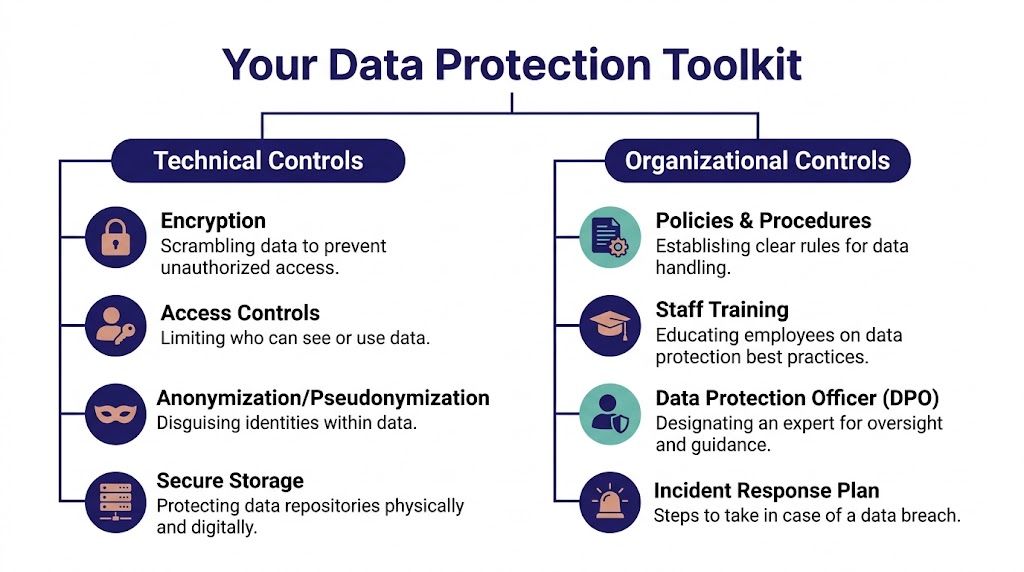
Some tools are technical. They’re built into systems, devices, and platforms. Others are organisational. They shape how people behave, who gets access, what gets recorded, and what happens when something goes wrong.
Technical controls you’ll meet in real work
Think of technical controls as the locks, keys, and alarms around data.
Encryption means the data is scrambled so unauthorised people can’t read it easily. In plain terms, it’s the difference between leaving a paper file open on a desk and sealing it in a coded safe.
Access controls decide who can see what. In a healthy finance team, a payroll assistant shouldn’t automatically have access to every business analysis project file. A trainee doing bank reconciliation may not need to see HR records. Good systems restrict access based on role.
Audit trails record actions inside platforms such as Sage, Xero, and QuickBooks. If someone changes a record, exports a report, or updates a transaction, the system can often show when it happened and who did it. That helps with accountability.
Secure storage covers where files live and how they’re protected. A report stored inside an approved cloud system with controlled access is very different from the same report copied onto an unmanaged USB stick or personal laptop.
Organisational controls that shape daily behaviour
These controls are less visible, but they’re often where trainees succeed or fail.
- Policies and procedures: These tell you how your firm wants documents collected, named, stored, shared, retained, and deleted.
- Staff training: This turns policy into action. A rule only works if people understand how it applies to a real workflow.
- Oversight: Some organisations rely on a Data Protection Officer or another responsible person to guide practice and monitor compliance.
- Incident response plans: People need to know what to do if something goes wrong. Delay and panic often make a problem worse.
A secure workplace doesn’t depend on one careful person. It depends on repeatable habits that everyone follows.
Why role-based training matters
Many generic courses often fall short. They explain principles, but they don’t show how those principles change by job role.
According to TechClass on data protection training requirements, effective data protection requires role-based training architecture. Their example is especially relevant for finance trainees. People using SAGE or Xero need specific modules covering how those systems enforce access controls and audit trails, while IT staff need deeper technical training on encryption protocols. The same source notes that customised training tied to the platforms people use every day improves compliance retention.
That matches what trainees experience in practice.
One toolkit, different roles
Bookkeeping and VAT
A bookkeeping trainee in Sage or QuickBooks needs to understand:
- which client records are visible under their login
- how bank feeds and supplier records may expose personal details
- when to avoid downloading reports unnecessarily
- how VAT working papers should be stored and shared
Advanced payroll
A payroll learner needs sharper attention to sensitivity. Their toolkit includes:
- checking access permissions before opening employee files
- using approved channels for payslips and payroll reports
- avoiding unnecessary copies of payroll exports
- following retention and disposal procedures for old records
Accounts assistant and final accounts
These roles often involve mixed datasets. You might handle invoices, credit control notes, bank reconciliations, journals, and supporting schedules. The challenge is knowing which parts contain personal data and limiting exposure when preparing files for review.
Business analyst and data analyst
Analysts often think in trends, not names. That can create blind spots. A dashboard might look harmless while still exposing individuals through IDs, postcodes, or combined fields. Your toolkit includes filtering, masking, minimising, and checking whether a report audience needs row-level detail.
Tools and training should match the systems you use
That’s why technology-specific learning matters. If your work includes cloud platforms, reporting tools, and accounting software, your data protection habits need to fit those environments rather than sit in a separate notebook. This guide to technology for accounting is useful because it helps place software use and responsible handling in the same conversation.
If you ever help design training materials, online learning workflows, or internal courses, it’s also worth understanding the platform side of protection. This guide on LMS security features course creators should know gives practical context on permissions, access management, and secure delivery in learning environments.
A Practical Checklist for Compliant Training
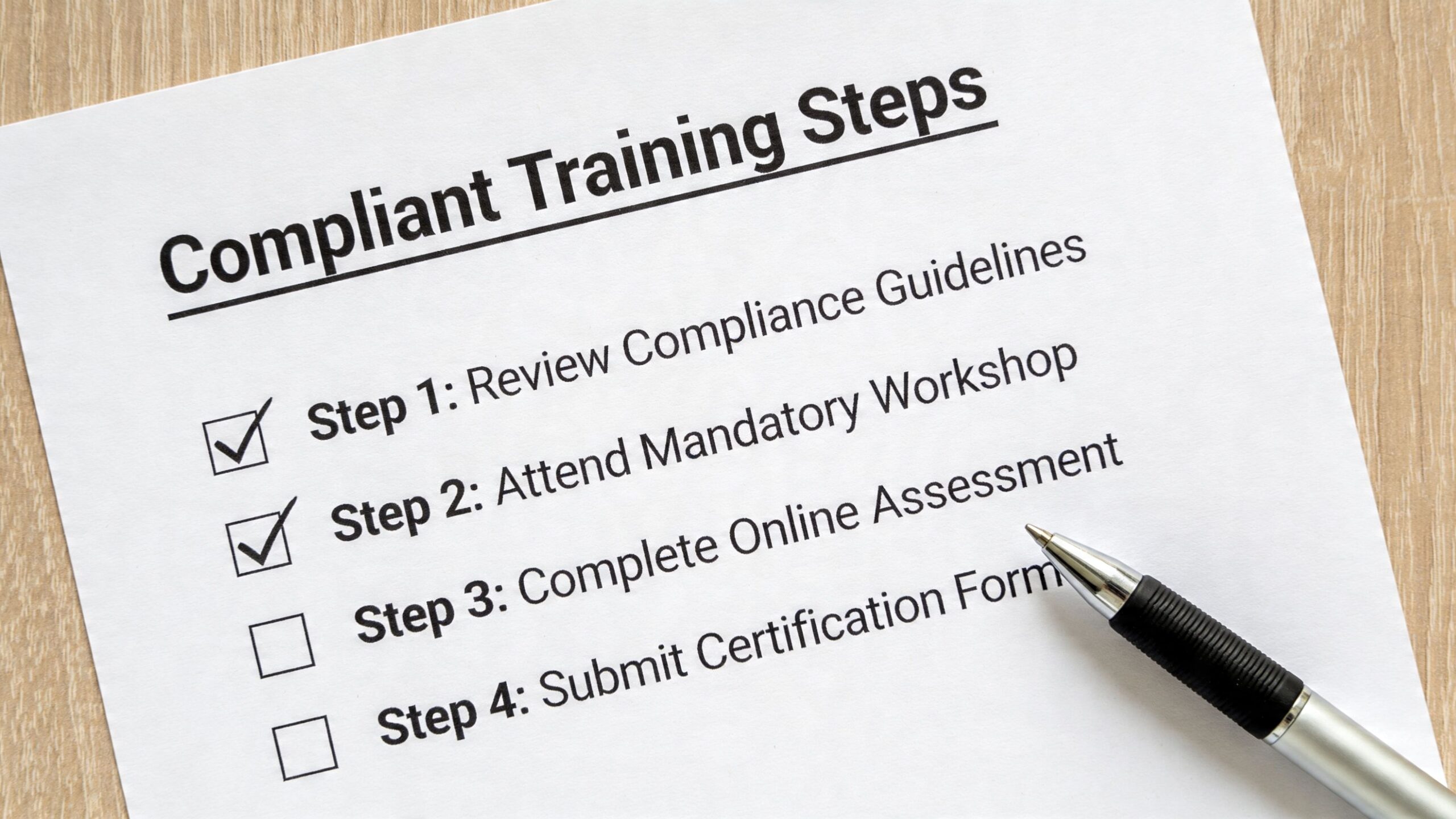
Knowing the theory is helpful. What you need at work is a routine.
The checklist below turns training data protection into actions you can apply in bookkeeping, payroll, accounts, business analysis, and data analysis roles. Keep it practical. If you can’t connect a rule to a real task in Xero, Sage, QuickBooks, Excel, SQL, or Power BI, you probably haven’t understood it well enough yet.
Start every task with one question
Ask yourself: Do I need this personal data to complete this task?
That is the heart of data minimisation. UK compliance training needs to show how GDPR principles such as data minimisation apply in accounting software, and inadequate training on secure data disposal and encryption on cloud platforms like Xero directly correlates with breach risk, as explained by PrivacyEngine on data protection training.
That principle sounds simple. In practice, it changes a lot.
- If you’re reconciling a bank account, you may not need the employee’s full record.
- If you’re preparing a dashboard, you may not need names when grouped totals will do.
- If you’re reviewing a supplier ledger, you may not need to export the full file.
Your role-based checklist
For bookkeeping and VAT trainees
-
Use the platform, not side copies
Work inside Sage, Xero, or QuickBooks where possible. Don’t create extra downloads unless the task requires them. -
Check the report audience
Before sharing a VAT report or reconciled ledger, confirm who needs to see it. -
Keep source documents tidy
Receipts, invoices, and bank support documents often contain names, addresses, and account references. Store them in the approved location. -
Avoid personal devices
Convenience is often the start of a breach.
For advanced payroll trainees
Payroll work is one of the clearest tests of professional judgement because the records are so sensitive.
- Open only the records you’ve been assigned
- Don’t leave payroll reports visible on shared screens
- Follow approved disposal steps for outdated records
- Be careful with attachments before sending anything externally
A trainee often thinks the biggest risk is calculating pay wrongly. From a data protection angle, careless storage and sharing can be just as serious.
For accounts assistant and final accounts trainees
Your work may combine financial detail with personal identifiers. Stay alert when:
- drafting journals supported by employee or director information
- compiling working papers that include names and addresses
- circulating files for manager review
- using scanned ID or onboarding documents as evidence
Use the minimum detail needed for the job. If an abbreviated version works, use it.
For business analysts and data analysts
This group needs a slightly different routine because analysis often begins with large datasets.
Before analysis
- Check identifiers: Names, email addresses, staff IDs, postcodes, and customer references may all identify people
- Reduce fields early: If a field isn’t needed for the question you’re answering, remove it
- Use masked or pseudonymised data where possible: Especially for training projects, test environments, and draft dashboards
During analysis
A dashboard built in Power BI can accidentally reveal more than the raw file if permissions are broad or filters are weak. Be careful with drill-through, row-level detail, and exports.
If a report user can learn more than they need to do their job, your design needs another review.
For portfolio projects and coursework
Don’t use live client or employee data in a public portfolio, even if you think you’ve changed a few details. Build examples from anonymised, dummy, or properly authorised datasets.
Third-party tools and outside processors
Another area trainees often miss is the role of external providers.
If your organisation uses cloud payroll software, outsourced payroll support, document portals, or external reporting tools, you still need to understand how data is handled. UK training should cover third-party data handling policies when external payroll processors or cloud services are involved.
That doesn’t mean you must become a contract expert. It means you should know:
- which tools are approved
- what type of data each tool handles
- whether uploads are allowed
- who to ask before introducing a new tool
When a DPIA enters the picture
You may hear the term Data Protection Impact Assessment, or DPIA.
You won’t always complete one yourself as a trainee, but you should understand why it exists. A DPIA helps an organisation think through privacy risks before starting a high-risk type of processing, system, or workflow. If a firm introduces a new payroll platform, a new analytics process, or a new way to share client data, a DPIA may be relevant.
For you, the main lesson is this. New tools and new workflows aren’t automatically safe just because they save time.
What to do if something feels wrong
If you think you’ve shared the wrong file, opened something you shouldn’t, uploaded data to the wrong place, or noticed another risk:
- Stop the task
- Don’t try to hide it
- Tell the responsible person immediately
- Record what happened clearly
- Follow the organisation’s incident process
Fast reporting is a professional act, not a confession of failure.
From Trainee to Trusted Professional
The most valuable shift in your career happens when you stop seeing data protection as a barrier and start seeing it as part of how professionals earn trust.
A trainee can learn Xero menus, Sage processes, payroll steps, Power BI visuals, SQL queries, or VAT rules. Those skills matter. But employers also notice something deeper. They notice whether you handle sensitive information with care when no one is standing over your shoulder.
Trust is a career skill
That’s why training data protection is such a strong differentiator.
If you understand the two meanings of the term, you’re less likely to get distracted by buzzwords. If you recognise your UK legal responsibilities, you’ll take ordinary tasks more seriously. If you build a toolkit of technical and organisational controls, you’ll make better decisions inside the systems you use every day. And if you follow a role-specific checklist, your judgment becomes visible in practice.
What maturity looks like early on
Professional maturity doesn’t mean knowing every rule by heart.
It means:
- asking before sharing
- limiting access instead of widening it
- using approved systems
- removing unnecessary identifiers
- reporting issues quickly
- thinking about the person behind the record
That mindset travels well across every path covered in this guide. It applies to a bookkeeping trainee handling supplier files, a payroll learner managing employee records, an accounts assistant preparing final accounts support, and a data analyst building a report from operational data.
Employers remember the trainee who was careful with real information. That kind of reliability often leads to more responsibility.
Data protection won’t replace technical ability. It strengthens it. The person who combines software confidence with sound judgement becomes much easier to trust, train, and promote.
Frequently Asked Questions
Does data protection training count towards CPD
In many professional contexts, it can contribute to your wider learning and professional development record if it is relevant to your role and properly documented. The key point is relevance. If you work in accounting, payroll, business analysis, or data analysis, data protection is directly linked to your job responsibilities.
What should I do first if I suspect a breach during training
Stop what you’re doing and report it straight away through the proper channel. Don’t delete evidence, don’t try to fix it without telling anyone, and don’t assume it’s too minor to mention. Early reporting gives your trainer or employer the best chance to contain the issue.
Do these rules apply to portfolio projects and interview samples
Yes. They still apply even when you’re trying to show your skills to employers. Don’t include live client records, employee payroll details, or identifiable customer information in a portfolio. Use anonymised or dummy data unless you have clear authority and a safe basis to use something else.
I only work with numbers, not names. Do I still need to care
Yes, because people can often be identified indirectly. A dataset may not contain a name but still reveal someone through a combination of fields such as employee ID, department, postcode, pay band, or transaction pattern. Analysts need to be especially careful because reports can expose detail in ways that raw tables don’t.
How do I talk about data protection in a job interview
Keep it grounded in work tasks. You might say that you understand the importance of access controls in Xero or Sage, that you only use approved systems for file handling, that you apply data minimisation in reporting, or that you know to escalate suspected breaches immediately. Employers prefer practical awareness over legal jargon.
Do I need deep legal knowledge before I apply for trainee roles
No. Most entry-level employers won’t expect you to act like a solicitor or privacy consultant. They do expect common sense, care, and willingness to follow process. If you can connect data protection principles to real tasks in bookkeeping, payroll, accounts, or analytics, you’re already showing useful professional judgement.
If you want structured, job-ready support in bookkeeping, VAT, payroll, accounts, business analysis, or data analysis, Professional Careers Training offers practical training designed around real software, real workflows, and real employability. It’s a strong next step if you want to build technical skills and the professional judgement employers trust.