
If you're training to become a business analyst, or you already work as one, you've probably noticed AI tools turning up in more of your...
In practice, employers aren’t only asking whether you understand debits, credits, accruals, payroll journals, or final accounts. They’re asking whether you can do the job inside the systems their team uses every day. That’s why practice accounting software matters so much. It turns knowledge into work you can perform, explain, and prove.
If you want to become a bookkeeper, payroll specialist, accounts assistant, final accounts trainee, business analyst, or data analyst in the UK market, software skills aren’t an extra box to tick. They’re often the thing that gets you shortlisted.
Why Practice Software Skills Are Your Career Launchpad
A trainee accountant often makes the same mistake at the start. They think software is a side skill, and accounting knowledge is the primary value.
Employers don’t see it that way.
They need people who can enter transactions correctly, reconcile bank activity, review VAT, support payroll runs, produce reports, and keep work moving through a digital process. In a UK firm, that work usually sits inside cloud systems. The wider market reflects that shift. The accounting software market was valued at USD 13,942.1 million in 2022 and is projected to reach USD 25,997.6 million by 2030, growing at 8.1% annually, according to GMI Research’s accounting software market analysis.
That matters for your career because software knowledge now signals job readiness.
Why employers care so much
When a hiring manager sees Xero or Sage on your CV, they aren’t just seeing a product name. They’re reading between the lines:
- You can work in a digital environment and won’t need basic system training from scratch.
- You understand workflow discipline because accounting software forces you to follow proper process.
- You’re more likely to handle live client data confidently in bookkeeping, VAT, payroll, and reporting tasks.
For entry-level roles, that can make the difference between “good academic background” and “ready to contribute”.
Practical rule: The more closely your training matches the software used in firms, the easier it is for an employer to picture you doing the job.
How this links to real UK roles
Different jobs use the same software in different ways. An accounts assistant might post supplier invoices, reconcile ledgers, and help with month-end. A bookkeeper may manage day-to-day entries and VAT records. A payroll administrator will focus on pay runs and deductions. A business analyst or data analyst may start with accounting data and turn it into dashboards and management insight.
That’s why practice accounting software is such a strong career launchpad. It sits in the middle of all those roles.
A trainee who can say, “I’ve processed transactions, reviewed VAT logic, worked through payroll steps, and extracted reports into Excel,” sounds employable. A trainee who only says, “I studied accounting modules,” sounds less ready, even if they’re intelligent and capable.
What Is Practice Accounting Software
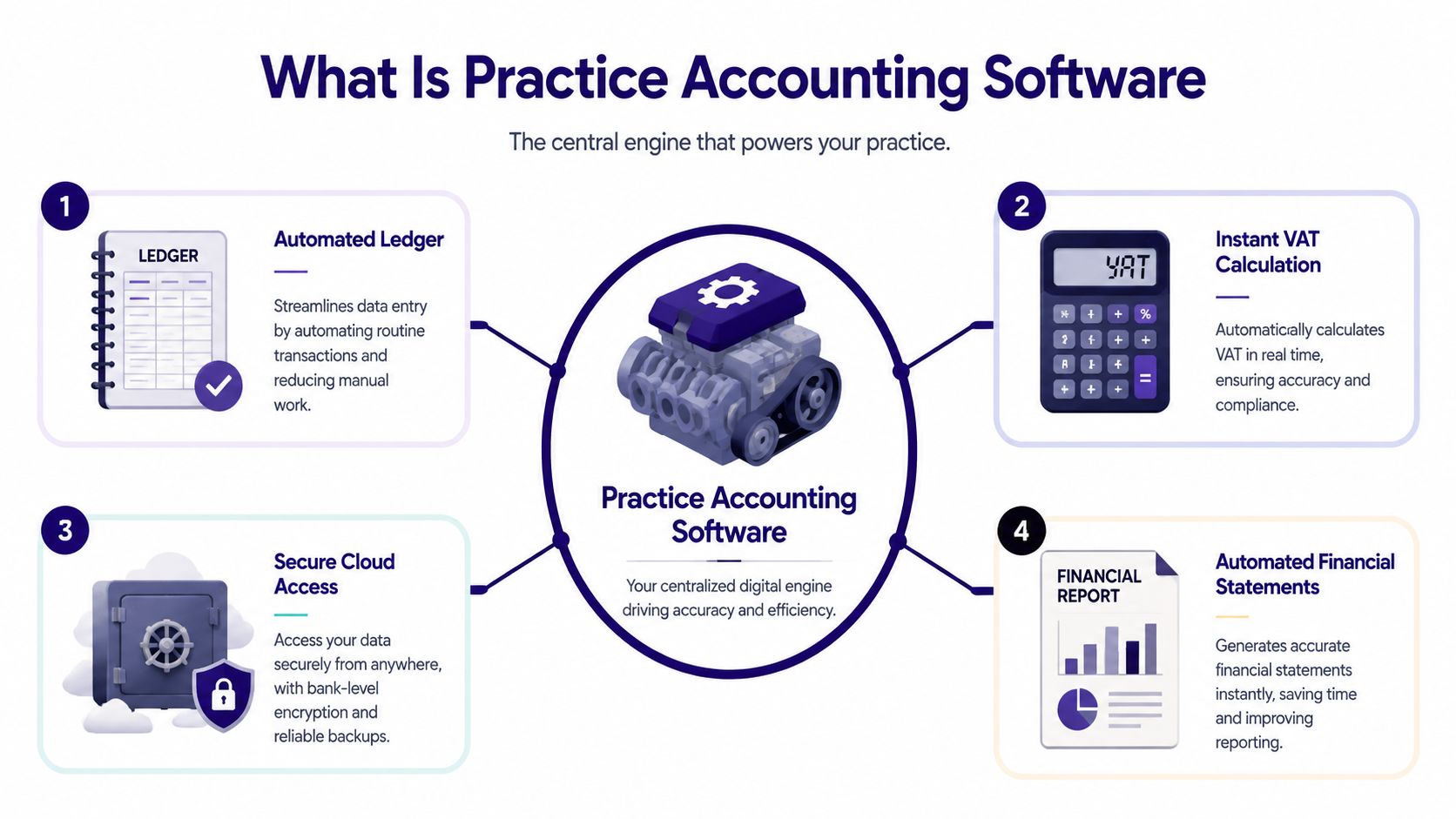
Think of practice accounting software as the operating system of an accountancy firm.
A small business might use accounting software to run its own books. A café might use QuickBooks for sales, expenses, and bank reconciliation. A freelance designer might use Xero for invoicing and VAT. That’s business-use software.
Practice accounting software is different. It helps an accountant or accounting firm manage work across many clients, many deadlines, and many recurring tasks.
The simplest way to understand it
If ordinary accounting software is one car, practice accounting software is the control centre for an entire fleet.
It helps staff organise client work, monitor deadlines, keep records in one place, manage tasks, and pull reports together for review. In a modern UK setting, it usually works alongside cloud bookkeeping platforms such as Sage, Xero, and QuickBooks.
That’s why software decisions matter so much for firms. Some practices even need help when they migrate from Sage to Xero because changing systems affects bookkeeping routines, reporting habits, and how staff handle client work day to day.
What it usually includes
Most trainees first notice the bookkeeping side, but practice accounting software covers much more than entering numbers.
A typical setup may include:
- Client bookkeeping tools for sales, purchases, bank feeds, and reconciliations
- VAT functions for checking codes, reviewing returns, and preparing submissions
- Payroll workflow support for recurring pay-related tasks
- Document handling so records, reports, and working papers stay organised
- Task and workflow management so recurring jobs don’t get missed
- Reporting tools for managers, partners, and clients
Practice accounting software doesn’t replace accounting knowledge. It gives that knowledge a structure, a sequence, and a record.
Where trainees get confused
Many learners assume “practice software” means one single package that does everything. In reality, firms often use a stack of connected tools.
A team might keep bookkeeping in Xero, manage tax or accounts production in another application, track jobs through a practice management system, and analyse data in Excel or Power BI. Your employability grows when you understand how those tools connect, rather than treating each one as a separate world.
That’s also why training should focus on workflows, not just menus. Clicking around a dashboard isn’t the skill. Knowing what to do with client records, and in what order, is the skill.
Core Features for Bookkeeping and VAT Roles
A good bookkeeper or accounts assistant doesn’t just “use software”. They use it to keep records clean, current, and ready for review.
That distinction matters.
In UK firms, bookkeeping and VAT work often sits at the foundation of everything else. If the entries are poor, the VAT review is harder. If the VAT is wrong, the reporting becomes unreliable, and if the records aren’t maintained properly, year-end work becomes slower and riskier.
Bookkeeping features that map to real tasks
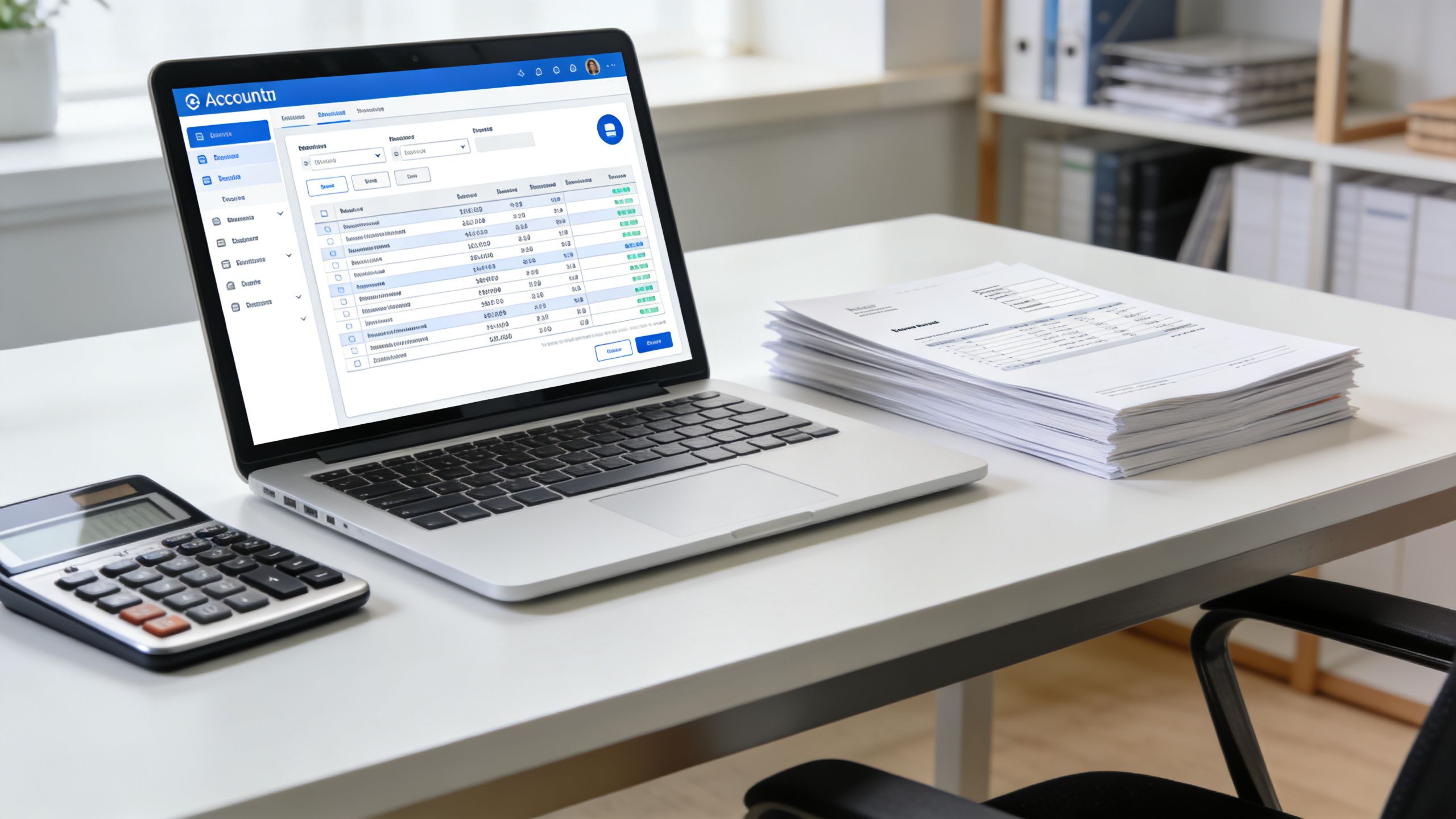
At entry level, you’ll usually work with a core set of functions repeatedly. These are the features that build confidence fast because they link directly to job duties.
| Daily task | What the software helps you do | Why employers value it |
|---|---|---|
| Recording sales and purchases | Post invoices and allocate entries correctly | Keeps ledgers current and reviewable |
| Bank reconciliation | Match transactions against bank data | Reduces manual checking and missed items |
| Customer and supplier balances | Track what’s owed and what’s due | Supports cash flow visibility and ledger accuracy |
| Document attachment | Keep receipts and backup with entries | Makes review and audit trail easier |
A trainee often underestimates bank reconciliation. In practice, it teaches you a lot. You learn timing differences, duplicate entries, missing postings, and how one wrong VAT code can affect the wider picture.
Why VAT knowledge must be practical
VAT is where many beginners lose confidence because they know the theory but haven’t seen how the software handles it.
In the UK, practice accounting software must be built around HMRC’s Making Tax Digital rules, which require digital record-keeping and VAT return submission through compatible software, as noted by Thomson Reuters’ overview of MTD-ready workflows. For a trainee, that means VAT software skills aren’t optional. They’re part of basic job competence.
Here’s what employers want you to be comfortable with:
- Checking VAT codes on sales and purchase entries
- Reviewing transaction treatment before a return is finalised
- Understanding digital records and why manual re-keying creates risk
- Following a clean workflow from bookkeeping to VAT submission stage
If you want to see the sort of platforms and workflows typically used in training, this guide to the software tools taught in a bookkeeping and VAT course gives a useful practical overview.
A bookkeeper becomes valuable when they can spot problems before a VAT return reaches review stage.
What makes someone employable in these roles
You don’t need to know every advanced feature on day one. You do need to show that you can work accurately inside routine processes.
That means being able to explain things such as:
- how you entered and checked purchase invoices
- how you handled unreconciled bank items
- how you reviewed VAT treatment before reporting
- how you kept digital records organised
That’s the language of a job-ready junior. It shows action, not just awareness.
Mastering Advanced Payroll and Final Accounts Workflows
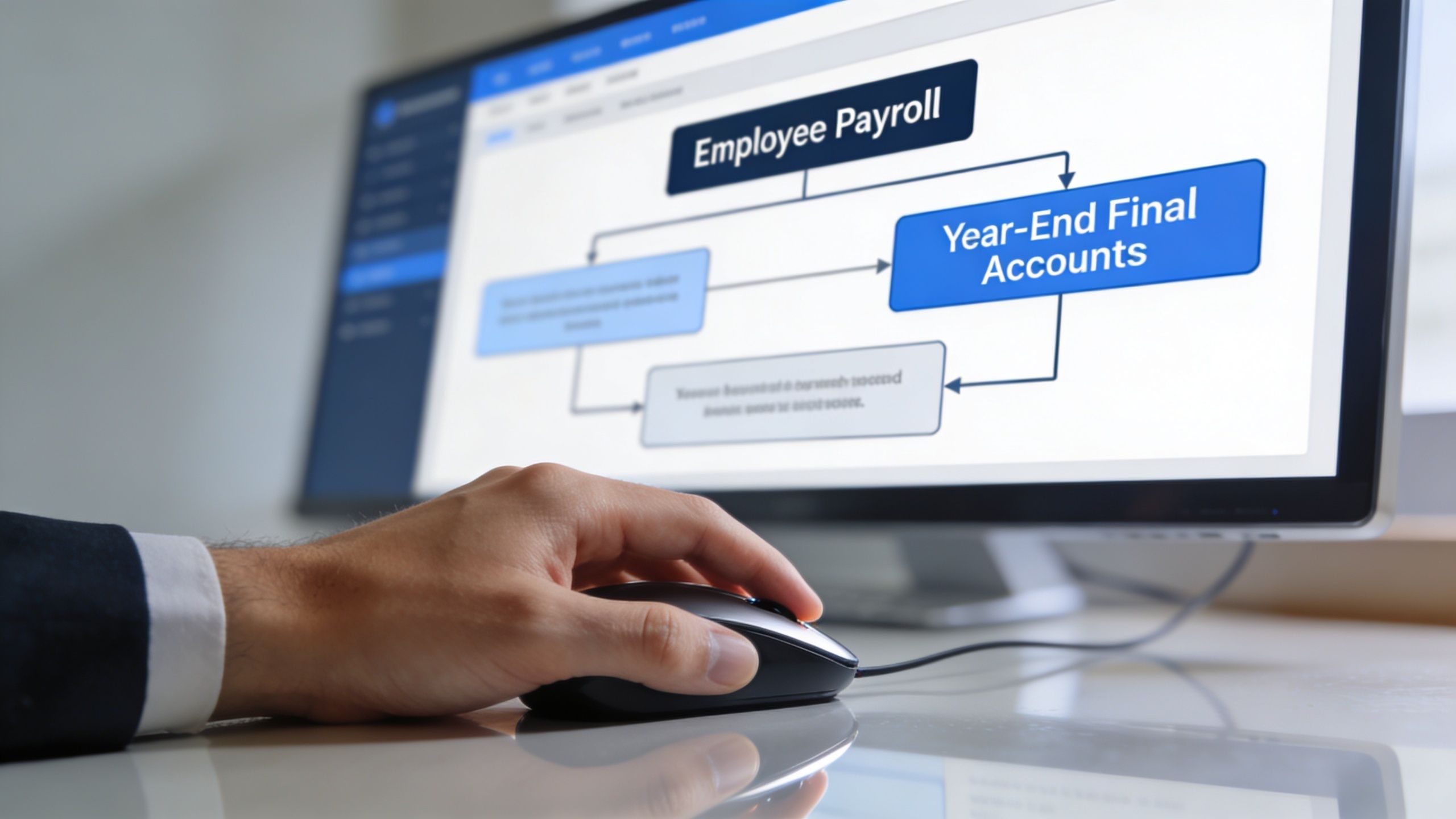
Payroll and final accounts work feel more complex because they involve sequences, deadlines, and review points. That’s exactly why software matters. It keeps recurring jobs organised and reduces the chance that staff miss a stage.
Modern UK practice management systems commonly include project management, workflow automation, document management, and time tracking, all of which support recurring payroll, VAT, month-end, and year-end work, as described in this overview of accounting practice management software features.
A payroll run in real working terms
Let’s take a typical payroll cycle.
You receive timesheet or salary information. You check starters, leavers, pay changes, and any adjustments. Then you process the payroll in the software, review deductions, generate payslip outputs, and make sure the records are ready for submission and reporting.
That’s not just one task. It’s a chain of connected tasks.
A strong payroll trainee starts to think in this order:
-
Input stage
Collect the right data and check that nothing obvious is missing. -
Processing stage
Run payroll calculations and review exceptions rather than assuming the system is always right. -
Output stage
Produce the documents and reports needed by staff, managers, and compliance processes. -
Review stage
Confirm the run ties back sensibly to expectations and prior patterns.
“Payroll software helps, but the person running it still needs judgement.”
That’s why employers like candidates who can talk through the flow, not just name a payroll package.
How final accounts work builds from bookkeeping
Final accounts often intimidate trainees because the work looks more senior. In truth, the process starts with the same discipline you use in bookkeeping.
You begin with ledgers that need review. Then, you check whether bank balances reconcile. You look at control accounts. You investigate unusual balances, missing postings, or inconsistencies. From there, the data feeds into accounts preparation and review.
A junior in this environment might support by:
- Tidying nominal ledgers before review
- Preparing schedules for key balances
- Checking supporting documents are attached and named properly
- Running reports for the senior accountant to inspect
Later in the workflow, visual demonstrations can help you understand how these steps connect in practice.
Why workflow thinking helps your career
When I mentor trainees, I often notice that the strongest ones don’t merely ask, “Which button do I press?” They ask, “What happens before this step, and what happens after it?”
That question changes everything.
It turns software learning into process learning. And process learning is what moves you from junior data entry towards payroll responsibility, accounts preparation support, and eventually review work. Once you understand the flow, you become easier to trust with deadlines and client-facing tasks.
From Accountant to Analyst with Excel and Power BI
A lot of trainees think accounting software leads only to compliance work. It doesn’t.
It also creates structured financial data, and structured data is exactly what analysts need.
When records are captured properly in Sage, Xero, or QuickBooks, you can move that information into Excel and reporting tools for a different kind of role. That’s where accounting starts to overlap with business analysis and data analysis.
How the shift happens
A bookkeeper may start by maintaining clean ledgers. An accounts assistant may start by producing month-end reports. Then someone asks for more insight.
Which customers are slow to pay, and why? cost areas have moved unexpectedly? Which service lines appear more profitable, and which months show strain on cash flow?
That’s where Excel becomes more than a spreadsheet. It becomes a tool for filtering, summarising, reconciling, and presenting patterns. Power BI takes that a step further by turning accounting data into visual dashboards and interactive reports.
According to The Business Research Company’s market report on accounting practice management software, accountants increasingly need BI and reporting tools alongside core software, and Microsoft Power BI is often highlighted because of its strong integration with Excel.
Practical examples that help careers widen
You might export sales and purchase data from cloud accounting software into Excel and use pivot tables to review trends by month, supplier, or department.
Or you might connect reporting outputs into Power BI to build a dashboard that shows:
- Revenue movement across reporting periods
- Expense categories that need investigation
- Debtor patterns that affect working capital
- Comparisons between actual figures and expectations
If you’re aiming beyond transactional accounting, it helps to study how employers describe analyst roles. Looking at job market examples for Financial Analysts can give you a clearer sense of how reporting, modelling, and commercial thinking sit on top of finance data.
Why this matters for business analyst and data analyst paths
Many people enter analytics from a general technical background. That’s one route.
Another route is to start with business data that you already understand. Accounting software gives you that starting point. You know what sales, cost, VAT, payroll, and reporting lines mean. That business context is valuable because analysis isn’t just chart-making. It’s interpretation.
For learners who want to understand the reporting side more clearly, this explanation of what Power BI is used for is a helpful bridge between accounting work and analyst skills.
Clean accounting data is often the first raw material for better commercial decisions.
How to Gain Practical Experience and Get Certified
The biggest barrier for most trainees isn’t intelligence. It’s lack of exposure.
You can read about Sage, Xero, and QuickBooks all day, but confidence usually starts when you enter data yourself, correct mistakes, rerun reports, and see how one action affects another. That’s why practical learning matters more than passive familiarity.
A sensible route for beginners
Start simple. Use demo environments or guided examples where possible. Learn how to:
- Create customer and supplier records
- Post invoices and payments
- Run basic reconciliations
- Review reports
- Correct errors without panicking
That self-practice helps, but most learners progress faster when they follow structured exercises based on workplace tasks. Real confidence comes from doing sequences repeatedly until they make sense.
Why certification helps
Employers like evidence.
If you say you “know Xero”, they may wonder what that means. If you can show structured training, software certification, and practical exercises, the claim becomes more credible. Certifications in platforms such as Xero, Sage, and QuickBooks can help because they show you’ve worked through recognised material rather than only watching videos casually.
A useful training route usually includes three things:
| What to look for | Why it matters |
|---|---|
| Hands-on software practice | You need muscle memory, not just theory |
| Tutor support | Questions come up when workflows go wrong |
| Job-focused tasks | Employers care about work outcomes, not screen familiarity |
Professional Careers Training offers accountancy training that includes software learning, official certification in Sage, Xero, and QuickBooks, and support from qualified trainers. For many learners, that kind of structured route is more useful than trying to piece everything together alone.
How to turn learning into experience
Experience doesn’t always start with a paid role. It often starts with evidence that you can complete realistic tasks.
Build that evidence by keeping a record of what you’ve practised:
- Bookkeeping tasks you completed in software
- VAT exercises you reviewed and corrected
- Payroll steps you processed in training
- Reports and dashboards you created in Excel or Power BI
If you need ideas on building credible early experience, this guide on how to get accounting experience is a practical place to start.
The trainees who move fastest are usually the ones who can say, “I’ve done this task in a system,” not just, “I’ve heard of the software.”
How Software Skills Secure Your First Accounting Role
When employers ask for software knowledge, they’re usually trying to reduce risk.
They want to know whether you can join the team and become useful without a long adjustment period. That’s why hands-on familiarity with cloud platforms matters so much. As noted in G2’s accounting practice management category overview, a key question for trainees is which software skills employers expect in practice, and hands-on familiarity with cloud platforms is a clear differentiator in a UK job market facing a finance and accounting skills shortage.
How to present software skills on your CV
Don’t just list product names in a long skills section.
Write them as actions. Show what you did.
Better examples look like this:
- Processed bookkeeping entries and reconciliations using Xero
- Prepared VAT-related records and reviewed transaction coding in cloud software
- Supported payroll workflow tasks and report checks using accounting systems
- Produced financial reports in Excel from accounting software data
That style tells an employer you can apply the software, not merely recognise the logo.
What to say in interviews
Interviewers often test whether your software knowledge is real by asking practical questions. They may ask how you’d handle an unreconciled bank item, how you’d check VAT treatment, or how bookkeeping feeds into final accounts.
Your answers don’t need to sound advanced. They need to sound grounded.
A good reply usually includes:
- What you would check first
- Which records or reports you would review
- When you would escalate an issue
- How the software supports the process
Employers rarely expect a trainee to know everything. They do expect a trainee to understand the workflow and ask sensible questions.
The real employability advantage
Software skills help in two ways at once. They make you more productive, and they make you easier to hire.
That’s why learning practice accounting software is such a smart move for graduates, career changers, and newcomers to the UK market. It gives you a practical language for your CV, better examples for interviews, and a clearer route into roles such as accounts assistant, bookkeeper, payroll administrator, final accounts trainee, business analyst, and data analyst.
If you want a structured route into those roles, Professional Careers Training offers training in accounting software, bookkeeping, VAT, payroll, Excel, Power BI, certification support, and career-focused guidance to help you build practical skills you can present to employers.