
Making Tax Digital for Income Tax is now live. The first sole traders and landlords became mandatory users on 6 April 2026, and HMRC started...
If you’re trying to enter finance, or move up inside it, Excel is one of the fastest skills to improve because it links directly to real tasks. Learn the right formulas, learn how accountants structure workbooks, and learn how to check your own logic. That combination makes you useful quickly.
For anyone aiming at analyst work as well as finance roles, this guide to financial analyst skills needed in the UK job market shows the wider picture. Excel doesn’t sit on the side of that pathway. It’s one of the foundations.
Why Excel Is Your Key to a UK Accounting Career
Excel gives you a common language across finance roles. A Bookkeeper uses it to organise transactions, calculate VAT-related figures, and keep records tidy. An Accounts Assistant uses it to reconcile ledgers, prepare working papers, and support month-end. A Business Analyst uses it to sort, summarise, and explain financial data to decision-makers.
That range matters. You don’t need to choose between “basic admin Excel” and “analyst Excel”. Good accounting training builds a path from one to the other.
Why employers keep asking for it
Employers ask for Excel because finance work depends on structure and accuracy. If you can’t total a ledger properly, match transactions, or review a broken formula, you create risk. If you can do those things well, you save time for the whole team.
The UK market also treats Excel as a formal skill, not just something you pick up casually. Structured Excel-for-accounting training can cover data import, cleaning, validation, PivotTables, Power Query, and analysis functions, while certifications such as Microsoft Excel Expert and MOS Excel Associate are positioned around practical competence for finance work, as outlined by GoSkills’ Excel for Accounting course overview.
Practical truth: Employers don’t just want someone who can type into a spreadsheet. They want someone who can trust the numbers, explain the logic, and spot errors before they cause problems.
What that means for your career path
Here’s the simple version.
| Job role | Excel skill that matters most | Career benefit |
|---|---|---|
| Bookkeeper | Totals, percentages, clean transaction logs | Faster entry into finance support work |
| Accounts Assistant | Reconciliations, lookup formulas, month-end schedules | More responsibility and better reporting exposure |
| Payroll Administrator | Date functions, checks, structured calculations | Stronger accuracy in pay periods and control work |
| Final Accounts trainee | Working papers, cross-checking, linked schedules | Better preparation for year-end and reporting duties |
| Business Analyst | PivotTables, Power Query, data modelling | A clear route into reporting and insight roles |
| Data Analyst | Data cleaning, transformation, structured outputs | Stronger link between raw data and business decisions |
If you’re serious about employability, treat Excel for accounting as job training, not a side skill.
The Building Blocks of Accounting in Excel
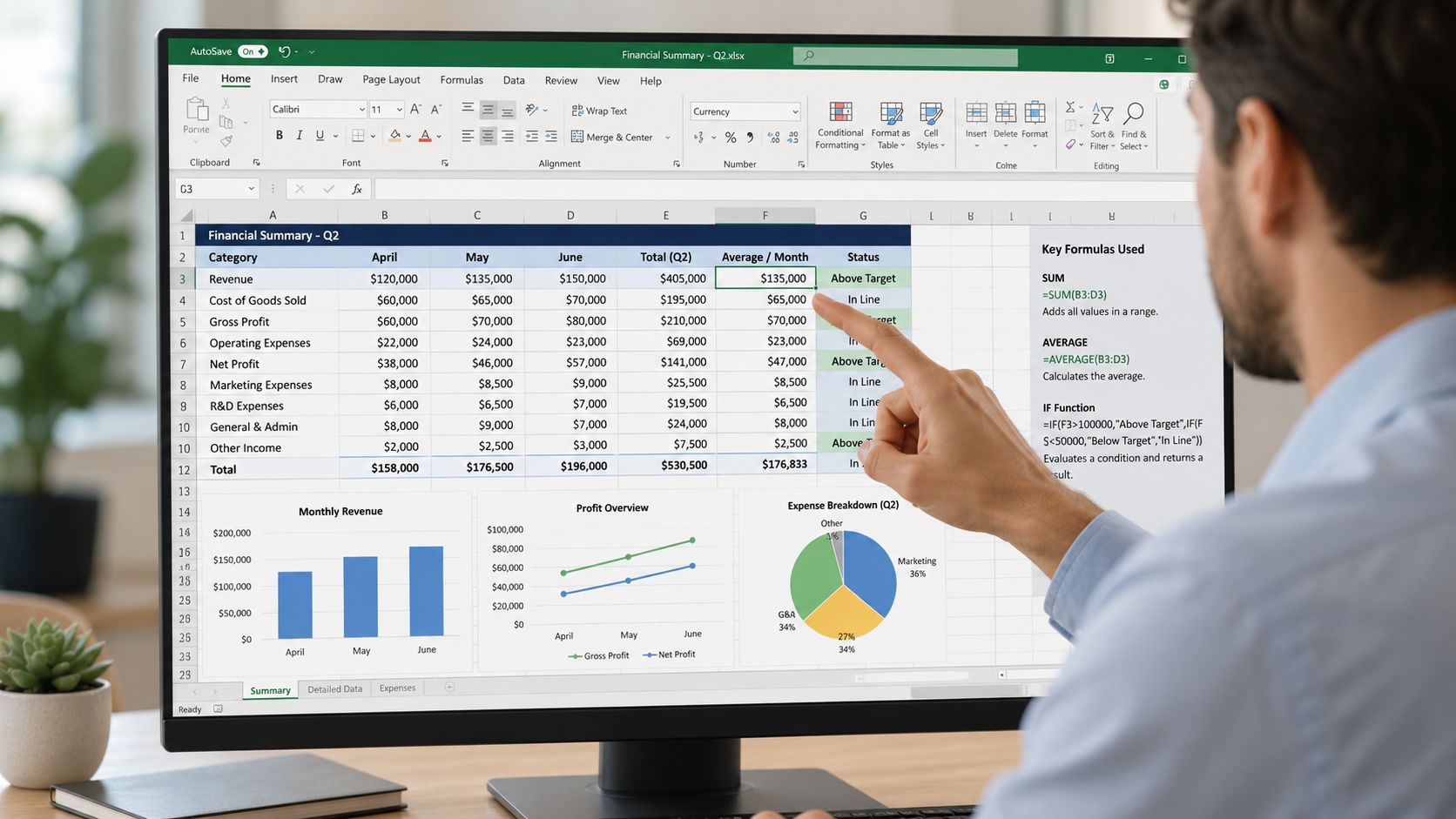
Excel became a foundational accounting tool because bookkeeping relies on straightforward but powerful formulas. Spreadsheets use an equal sign to start formulas, and common accounting work depends on tools such as SUM, subtraction, averages, and percentage calculations for journals, statements, and reconciliations. More advanced accounting work often uses SUMIFS, IF, VLOOKUP, ROUND, EOMONTH, and WORKDAY, as described in NetSuite’s guide to Excel accounting.
Start with the formulas that run finance work
A lot of beginners overcomplicate Excel. Don’t. In accounting, the basics do most of the heavy lifting.
- SUM for totals: A Bookkeeper needs reliable totals for cash books, expense logs, and ledger columns. A simple formula like
=SUM(A2:A11)is still one of the most useful tools in finance. - Subtraction for balances: An Accounts Assistant often calculates remaining balances, differences on reconciliations, or movement between periods.
- Division for percentages: VAT work, gross margin checks, and ratio reviews depend on percentage calculations. If you can’t build and read percentage formulas, you’ll struggle with reporting.
- AVERAGE for trend checking: A junior analyst may use average calculations to review monthly costs or compare spending patterns.
Match each formula to a job task
Now, Excel starts to feel practical.
| Excel function | Accounting task | UK role |
|---|---|---|
| SUM | Add invoice totals, expenses, ledger lines | Bookkeeper |
| Subtraction | Find outstanding balances or reconciliation gaps | Accounts Assistant |
| Division | Calculate percentages for VAT or reporting ratios | Bookkeeping and VAT trainee |
| ROUND | Clean payment and report figures | Advanced Payroll trainee |
| EOMONTH | Set period-end dates for schedules | Final Accounts trainee |
| WORKDAY | Work out due dates and deadlines | Accounts Assistant |
A payroll learner, for example, often needs date accuracy more than flashy formulas. EOMONTH helps with period ends. WORKDAY helps when timelines depend on business days rather than calendar days. That’s practical skill, not theory.
The first upgrade from beginner level
Once your basic calculations are solid, move to functions that organise logic.
- IF helps you flag exceptions. Useful for overdue items, status checks, or review markers.
- SUMIFS adds values only when records meet selected conditions. That’s ideal for department totals, account-code reporting, or period-based summaries.
- VLOOKUP links one table to another. It’s often the first lookup function people learn when matching codes, suppliers, or categories.
Build accuracy first. Speed comes later. A fast spreadsheet with weak logic is worse than a slow one you can trust.
For bookkeeping and VAT roles, these functions help you move from manual entry to structured checking. For accounts assistant work, they form the base of reconciliations and reporting packs. For final accounts support, they help you prepare clean schedules instead of messy one-off tabs.
Excel for accounting isn’t about memorising every function in the ribbon. It’s about knowing which formula solves which finance problem.
Mastering Key Accounting Workflows
Knowing formulas is useful. Turning them into repeatable workflows is what gets you hired.
A finance team doesn’t pay you to know that SUMIFS exists. They pay you to produce a usable reconciliation, a clear report, or a working schedule that someone else can review. That’s the difference between spreadsheet knowledge and accounting value.
Build a basic reconciliation that a manager can follow
Start with a transaction list. You’ve got dates, references, amounts, and a status column. Your goal is to match internal records against a bank statement or another source file.
A simple workflow often looks like this:
- Import or paste transactions into a clean table.
- Standardise dates and descriptions.
- Use IF to mark expected matches or exceptions.
- Use a lookup formula to pull related data from a second sheet.
- Review unmatched items separately.
If the bank data arrives as PDF or another awkward format, converting it first saves a lot of manual work. A tool like Digital ToolPad’s Excel converter can be useful when you need statement data in a spreadsheet-friendly format before you start reconciliation.
Don’t chase unmatched items across five tabs. Put exceptions in one visible review area and work through them methodically.
This kind of process is ideal for an Accounts Assistant. It shows control, organisation, and the ability to support month-end without getting lost in raw data.
Use reporting formulas for profit and loss support
Now think about a transaction sheet with account codes, dates, departments, and amounts. You need a summary for management.
That’s where SUMIF and COUNTIF become practical. In UK accounting work, advanced functions such as INDEX/MATCH, SUMIF/COUNTIF, and XNPV/XIRR are valuable because they help classify transactions, handle large datasets, and value irregular cash flows in forecasts and budgets, as covered in CFI’s advanced Excel formulas guide.
A junior finance workflow might look like this:
| Task | Better Excel approach | Role benefit |
|---|---|---|
| Summarise expense category totals | SUMIF or SUMIFS | Strong reporting support for Accounts Assistant roles |
| Count overdue or open items | COUNTIF | Useful in credit control and ledger review |
| Pull the right value from a flexible table | INDEX/MATCH | Better modelling skill for analyst pathways |
| Review dated cash flows | XNPV or XIRR | Relevant for finance analyst and business analyst work |
Why INDEX MATCH beats lazy spreadsheet habits
A lot of learners cling to VLOOKUP because it feels familiar. That’s fine at the start. But if you want to move into business analyst or data analyst work, INDEX/MATCH gives you more flexibility.
It handles lookups without forcing your lookup value to sit in the first column. That matters when your source data isn’t arranged neatly for beginner formulas. It also makes larger models easier to maintain.
For final accounts support, lookup skills help you connect nominal codes, working papers, and disclosure schedules properly. For business analysis, they help you stitch together separate data sources without constant manual checking.
The point is simple. Employers notice when your workbook works like a finance tool instead of a personal notebook.
Advanced Skills for Analysts and Accountants
Once your formulas and workflows are reliable, the next step is turning data into decisions. That’s where Excel starts to separate routine finance support from higher-value analysis work.
PivotTables for reporting that managers can actually use
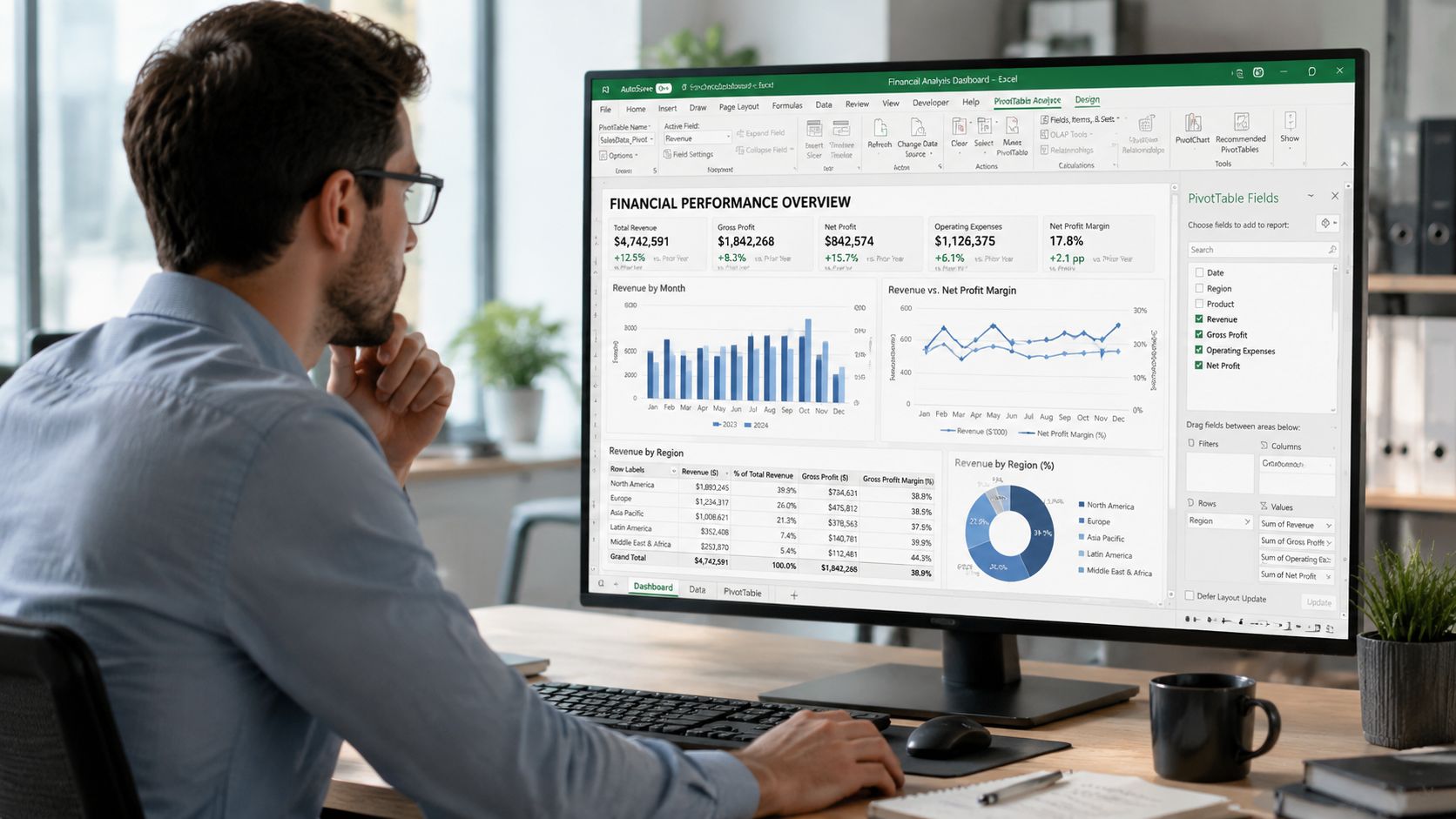
If you want one skill that quickly improves your value in accounts assistant, business analyst, and data analyst roles, learn PivotTables properly.
They let you summarise large transaction lists without rebuilding formulas every time a manager changes the question. Need expenses by month? By supplier? By department? By account code? PivotTables handle that cleanly.
Use them when you need to:
- Summarise fast: Convert raw rows into management-ready totals.
- Filter clearly: Focus on one period, one department, or one ledger category.
- Spot patterns: Identify unusual movements or missing categories.
- Support meetings: Answer follow-up questions without rewriting the whole sheet.
For analysts, this is one of the fastest ways to move from data handling to insight.
Power Query for messy imports and repeatable cleaning
Power Query matters because real finance data is rarely tidy. Files come from different systems. Dates break. headings shift. Columns arrive in the wrong order. A business analyst who can clean that mess efficiently is far more useful than one who only works with perfect sample data.
A structured Excel-for-accounting course can cover data import, cleaning, validation, PivotTables, PowerQuery, and analysis functions, which tells you how closely these tools are tied to employability in finance roles, as noted earlier in this guide.
If you’re exploring more advanced modelling work, this guide to what financial modelling involves in practice helps connect spreadsheet technique with analyst-level output.
Auditability is what separates professionals from spreadsheet users
For UK accountants, one of Excel’s strongest strengths is auditability. Tools such as Trace Precedents and Trace Dependents help you verify calculation logic in financial models, reconciliations, and management reports, which is vital when one formula error can affect downstream statements.
That matters across several roles:
| Tool | Why it matters | Best-fit role |
|---|---|---|
| Trace Precedents | Shows where a formula pulls data from | Final Accounts trainee |
| Trace Dependents | Shows what a formula affects downstream | Accounts Assistant |
| Data Validation | Restricts bad input and keeps records consistent | Bookkeeper |
| PivotTables | Summarises large datasets into clear reports | Business Analyst |
| Power Query | Imports and cleans messy data efficiently | Data Analyst |
A short visual walkthrough can help if you’re learning reporting and review skills in action.
A strong workbook doesn’t just calculate. It explains itself.
That’s the standard to aim for if you want analyst-level credibility.
Beyond Formulas Professional Spreadsheet Governance
A workbook can give the right answer and still be poor finance work.
That’s the part many learners miss. In a professional setting, Excel isn’t only about calculations. It’s also about control, evidence, and reproducibility. If nobody can tell which version is final, where an assumption came from, or who reviewed the file, the workbook isn’t strong enough for serious accounting use.
A key gap in Excel training is governance and control design. UK-specific commentary highlights recurring issues around weak evidence, inconsistent judgement, poor documentation, and that spreadsheet errors can materially affect reporting quality. That makes workbook defensibility just as important as workbook construction, as discussed in this commentary on spreadsheet governance and UK reporting control issues.
What good spreadsheet governance looks like
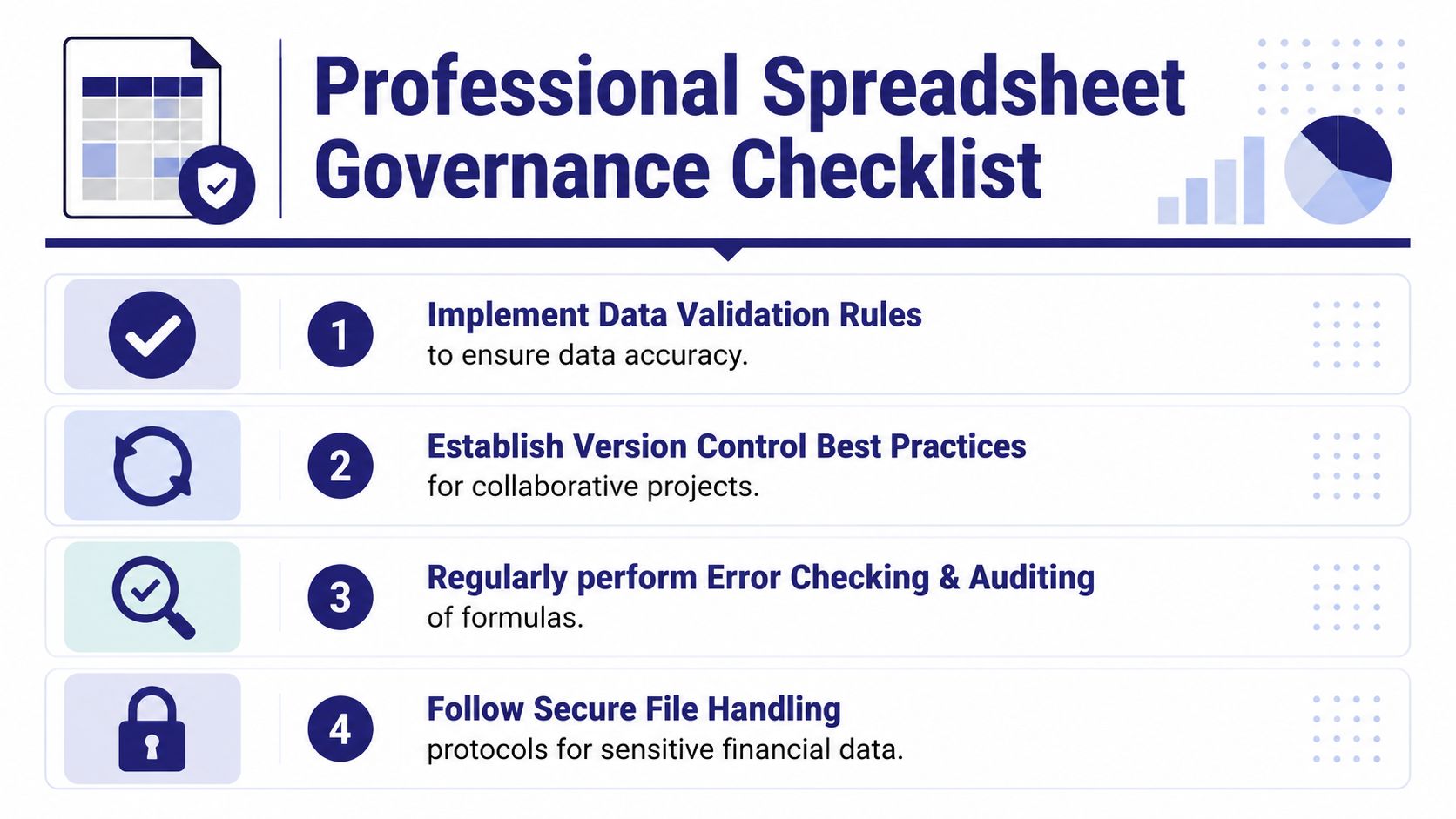
You don’t need a complicated framework. You need disciplined habits.
- Name sheets clearly: “Final_v2_new_latest” is chaos. Use names that reflect purpose and date.
- Separate inputs from calculations: Put assumptions in one area and formulas in another.
- Document key logic: If a reviewer can’t understand a critical formula, you’ve created avoidable risk.
- Control versions properly: Keep a clear record of draft, review, and final files.
- Review before circulation: Another set of eyes catches issues you’ve stopped seeing.
Match governance to the role you want
In this situation, job-readiness becomes obvious.
A Bookkeeper needs consistent data entry and secure file handling. An Accounts Assistant needs clean month-end versions and review points. Someone in advanced payroll needs careful control of dates, rates, and final outputs. A final accounts trainee needs schedules that support sign-off and external review. A business analyst needs documented assumptions so reporting logic can be checked and reused.
Here’s a sensible control framework:
| Governance habit | Why it matters | Most relevant role |
|---|---|---|
| Version naming | Stops confusion over final files | Accounts Assistant |
| Assumptions tab | Makes key drivers visible | Business Analyst |
| Formula review | Reduces hidden calculation errors | Final Accounts trainee |
| Data validation rules | Prevents inconsistent entries | Bookkeeper |
| Access and file handling | Protects sensitive information | Payroll and finance staff |
You should also understand basic confidentiality practice when handling payroll files, employee data, or customer records. This resource on training in data protection for workplace practice is useful because spreadsheet skill without data handling discipline is incomplete.
Reliable finance staff don’t just build spreadsheets. They leave behind work that another person can review, test, and trust.
That’s one of the clearest differences between a learner and a professional.
Your Roadmap from Beginner to Job-Ready Professional
Users generally don’t need “all of Excel”. They need the right Excel skills in the right order for the job they want.
That’s good news, because it makes your learning path much clearer. Start with core calculations. Then move into workflow formulas. Then build reporting, data cleaning, and governance. That sequence mirrors real finance progression.
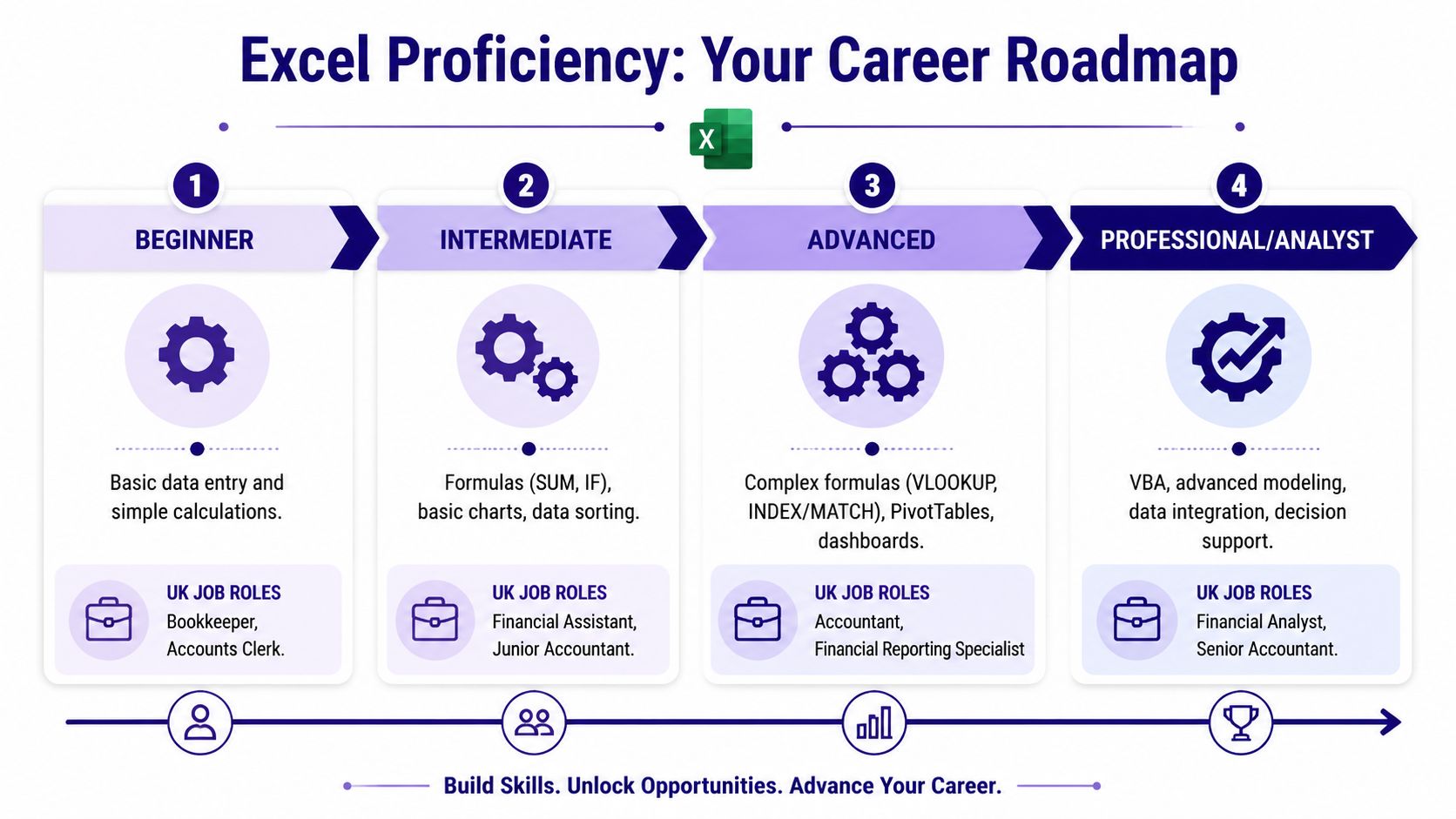
Stage one to stage four
Here’s the career-friendly version.
Beginner level
Bookkeeping and VAT learners ought to start with these elements. Focus on data entry discipline, simple formulas, percentages, clean layouts, and basic checks.
You should be able to:
- total columns accurately
- calculate percentages
- organise a transaction log
- follow a clean chart-of-accounts style structure
- format financial numbers clearly
Typical roles include Bookkeeper, Accounts Clerk, and junior finance support.
Intermediate level
This stage suits accounts assistant and advanced payroll progression. Learn IF, SUMIFS, ROUND, WORKDAY, and period-based logic. Build simple reconciliations and support schedules.
At this point, employers expect you to produce useful files, not just edit existing ones.
Advanced level
In this domain, final accounts, business analyst, and strong reporting roles start to open up. You should be comfortable with lookups, structured summaries, and management reporting.
Skills here include:
- INDEX/MATCH
- PivotTables
- cleaner workbook design
- exception reporting
- review-friendly working papers
Professional and analyst level
This level is for people aiming at business analyst, data analyst, and more senior finance roles. Add Power Query, advanced modelling habits, governance, and a strong review mindset.
Why formal training still matters
In the UK job market, formal training helps prove Excel competence. Structured learning can cover data validation, PivotTables, and PowerQuery, while certifications such as Microsoft Excel Expert are aimed at accountants who need advanced analysis, automation, and macros, as described by GoSkills’ Excel training information.
That matters for three reasons:
- It gives structure. Most self-study learners jump between random videos and end up with gaps.
- It builds role relevance. Excel for a payroll learner isn’t the same as Excel for a business analyst.
- It gives employers confidence. Certification and guided training show that your skills have been developed deliberately.
A practical roadmap by job goal
| Career goal | Excel priorities | Best training focus |
|---|---|---|
| Bookkeeping and VAT | Totals, percentages, logs, validation | Core spreadsheet control and finance basics |
| Accounts Assistant | Reconciliations, IF, SUMIFS, review skills | Month-end workflows and ledger support |
| Advanced Payroll | Dates, rounding, checking logic, secure handling | Payroll processing and accuracy controls |
| Final Accounts | Structured schedules, formula tracing, support files | Working papers and reporting support |
| Business Analyst | PivotTables, lookups, dashboards, assumptions | Reporting, analysis, and model logic |
| Data Analyst | Power Query, transformation, clean outputs | Data cleaning and decision support |
The strongest candidates don’t try to look advanced too early. They build clean basics, then layer on tools that match the jobs they’re targeting.
If you want practical, job-focused Excel training that links directly to accounting and analyst roles, Professional Careers Training is worth your attention. Their support goes beyond classes. You can train with ACCA qualified Chartered Accountants and CPD approved trainers, study with flexible timings including evenings and weekends, build software skills in Sage, Xero, and QuickBooks, and get help with CV preparation, LinkedIn optimisation, job hunting strategy, and employer referrals. If your goal is to become job-ready in bookkeeping, payroll, accounts, or analysis, that kind of structured support can shorten the journey.