Missing a VAT deadline used to mean a single surcharge letter from HMRC, calculated as a rising percentage of whatever was late. Since January 2023,...
If you run payroll for a UK business, workplace pension auto-enrolment is not optional. Every employer with at least one member of staff has legal duties under the Pensions Act 2008, and getting them wrong can mean fines from The Pensions Regulator (TPR).
This guide sets out who needs to be enrolled, how much everyone pays, and what an employer actually has to do, month by month, to stay compliant.
It is written for payroll administrators, bookkeepers, small business owners and anyone training for a payroll career who needs to understand the mechanics rather than just the headline rule.
It covers pension contributions specifically. For the income tax and National Insurance side of the same payslip, see our separate guide to PAYE and National Insurance.
What Is Workplace Pension Auto-Enrolment?
Auto-enrolment is the legal requirement for UK employers to automatically put eligible staff into a workplace pension scheme and contribute towards it. It was phased in between 2012 and 2018 and now applies to every employer, from sole traders with one part-time employee to large corporates.
The principle is simple: unless someone actively opts out, they are saving for retirement by default. Employers choose the scheme, but they cannot choose whether to offer one at all.
Auto-enrolment is not a benefit an employer can decide to skip. It is a statutory duty, and it starts from the moment a business takes on its first member of staff.
Who Needs to Be Auto-Enrolled?
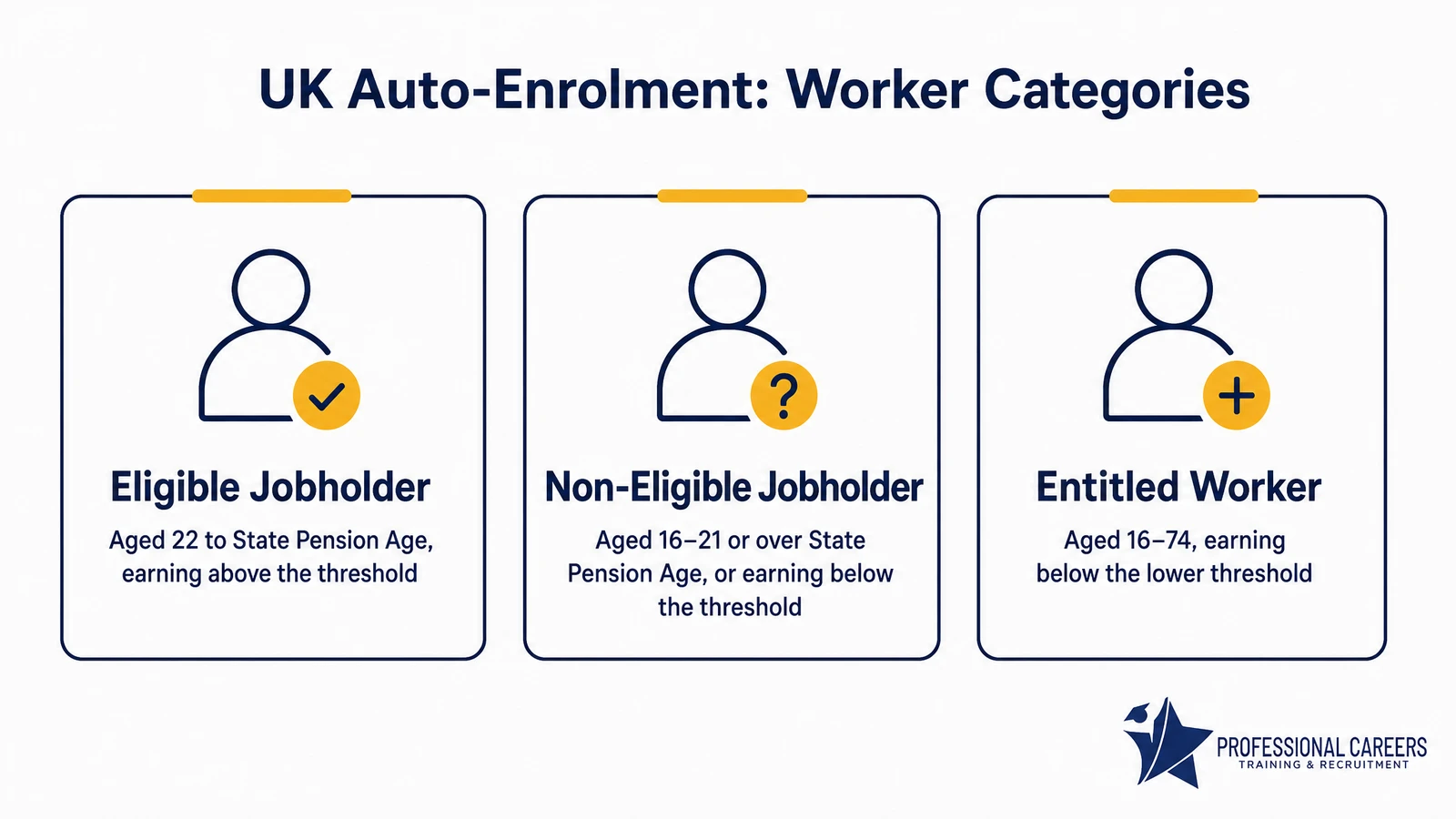
Not every worker is treated the same way. The rules split staff into three categories, based on age and how much they earn, and this decides whether enrolment is automatic, optional, or available on request.
Eligible jobholders
These are staff a business must automatically enrol, with no action needed from the worker. They meet all three conditions: aged between 22 and State Pension age, earning more than £10,000 a year, and working or normally working in the UK.
Non-eligible jobholders
These staff can opt in and, if they do, the employer must contribute. They fall into two groups: those aged 16 to 21 or State Pension age to 74 earning over £10,000 a year, and those aged 16 to 74 earning between £6,240 and £10,000 a year.
Entitled workers
These staff can ask to join a pension scheme, but the employer has no legal duty to contribute if they do. They are aged 16 to 74 and earn £6,240 a year or less.
- Eligible jobholder: automatic enrolment, employer must contribute.
- Non-eligible jobholder: can opt in, employer must contribute if they do.
- Entitled worker: can ask to join, employer contribution is not required.
Casual and zero-hours staff are assessed the same way, based on their actual earnings each pay period, so someone can move between categories from one month to the next.
Auto-Enrolment Earnings Thresholds for 2026/27
Three figures decide which category a worker falls into and how much of their pay counts towards pension contributions. These thresholds are set by the Department for Work and Pensions and reviewed annually.
For 2026/27, the government confirmed all three thresholds stay frozen at their 2025/26 levels, prioritising stability while the Pensions Commission’s wider review is under way. Figures are set out in full by The Pensions Regulator.
| Threshold | Annual | Monthly | Weekly |
|---|---|---|---|
| Earnings trigger (auto-enrolment starts) | £10,000 | £833 | £192 |
| Lower level of qualifying earnings | £6,240 | £520 | £120 |
| Upper level of qualifying earnings | £50,270 | £4,189 | £967 |
Qualifying earnings sit between the lower and upper thresholds. This band, not total salary, is what minimum contributions are calculated against.
How Much Do Employers and Employees Pay?
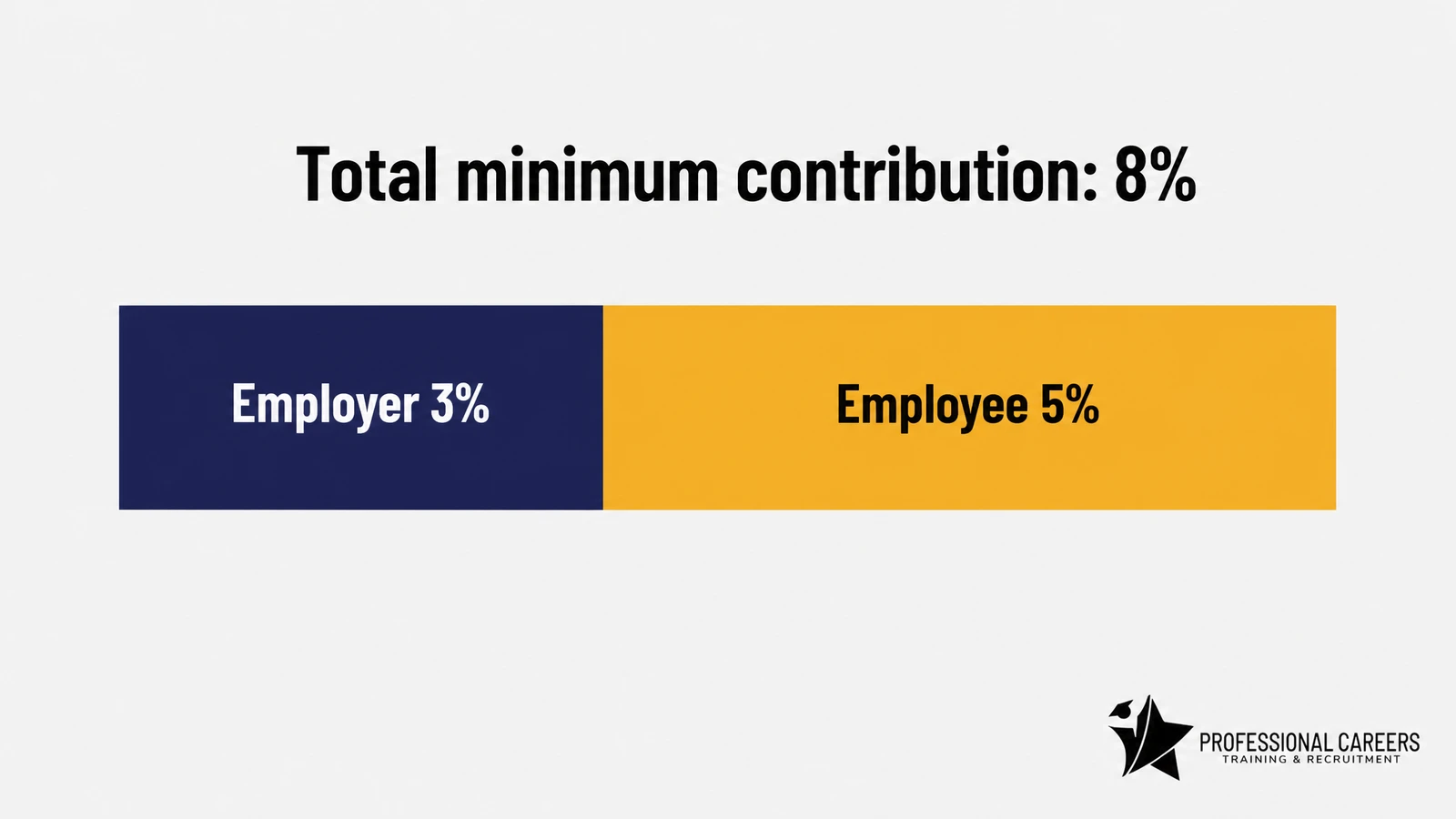
The minimum total contribution is 8% of qualifying earnings. Employers must pay at least 3%, and the remaining 5% is made up by the employee, usually including basic rate tax relief added by the pension scheme.
Working out a contribution
Contributions apply only to earnings between £6,240 and £50,270 a year, not the full salary. Someone earning £30,000 a year has qualifying earnings of £23,760 (£30,000 minus £6,240), and 8% of that is £1,900.80 a year in total minimum contributions.
Someone earning £22,000 a year has qualifying earnings of £15,760. The total minimum contribution is £1,260.80 a year, or about £105 a month, split roughly £39.40 employer and £65.67 employee.
The lower the salary, the more the qualifying earnings band matters. A flat percentage of full salary would overstate what is actually due, which is a common source of over-deduction.
An employer can choose to pay more than the 3% minimum, and some do as part of a recruitment or retention package. Whatever the split, the combined total must never fall below 8% of qualifying earnings.
Which staff count towards the qualifying earnings band
Bonuses, commission and overtime usually count as qualifying earnings alongside basic pay, unless the scheme uses a different earnings definition, such as basing contributions on total pay from the first pound, which some employers prefer for simplicity.
Minimum contributions are calculated on a band of earnings, not full salary. Missing this is one of the most common payroll errors on auto-enrolment, and it usually means staff have been under-contributed for months before anyone notices.
Setting Up Auto-Enrolment: Employer Duties Step by Step
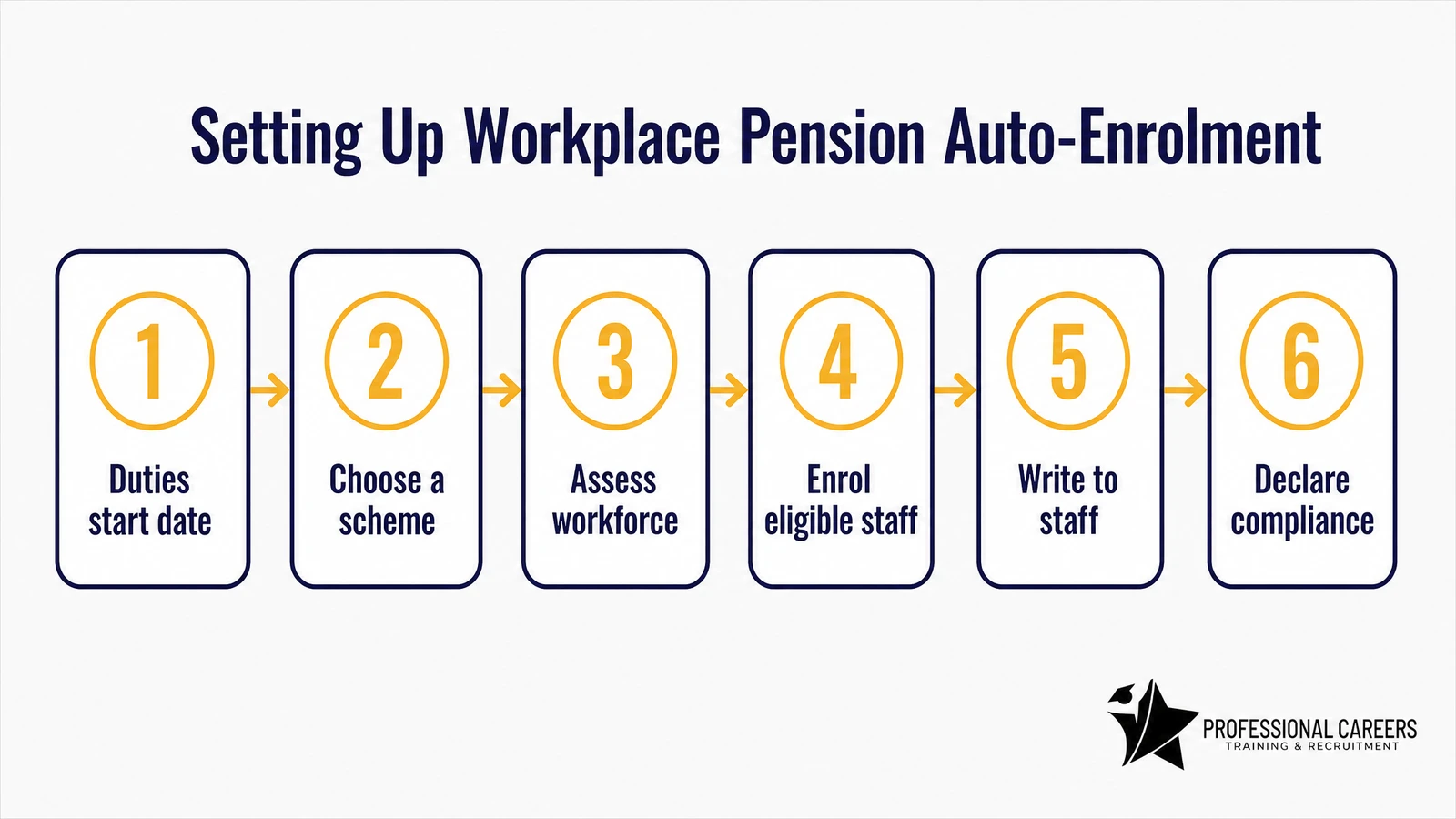
Every employer, including a business taking on its very first employee, has the same core duties. They apply from the “duties start date”, which is normally the day the first worker’s employment begins.
- Work out your duties start date and diarise the key deadlines that follow it.
- Choose a pension scheme that accepts auto-enrolment and is registered with HMRC for tax relief.
- Assess your workforce every pay period to sort staff into eligible jobholder, non-eligible jobholder or entitled worker.
- Automatically enrol every eligible jobholder into the scheme without asking them first.
- Write to each member of staff within six weeks, explaining how auto-enrolment affects them and their right to opt out.
- Complete a declaration of compliance with The Pensions Regulator, confirming duties have been met.
Payroll software does most of the assessment automatically once it is set up correctly, but the employer, not the software provider, is legally responsible if something is missed.
Software handles the calculations. It does not take legal responsibility. That stays with the employer, whatever the payroll system says.
Postponement, Opt-Outs and Refunds
Employers have some flexibility in how and when they apply these rules, and staff always keep the right to leave a scheme once they are in it.
Postponement
An employer can delay assessing and enrolling a worker for up to three months, known as postponement. It is commonly used for short-term or seasonal staff, or to align enrolment dates with a company’s payroll cycle.
The employer must write to affected staff to confirm postponement is being used and when their assessment date will actually fall.
Opting out
Anyone automatically enrolled has one month from being enrolled to opt out and get a full refund of what they have paid in. This is different from simply stopping contributions later, which does not refund past payments.
What happens to contributions after the opt-out window
Once the one-month window closes, contributions already paid normally stay in the pension until retirement, even if the person leaves the scheme afterwards. MoneyHelper’s guidance sets this out clearly for staff who ask.
This is one reason payroll teams need to flag the opt-out deadline clearly to new staff, ideally in writing and well before the month runs out.
Common Payroll Mistakes on Auto-Enrolment
Most auto-enrolment breaches TPR investigates are not deliberate. They come from ordinary payroll process gaps that go unnoticed until an audit or a staff complaint brings them to light.
- Calculating contributions on full gross pay instead of the qualifying earnings band, which usually overpays or underpays without anyone spotting it.
- Sending the required staff communication after the six-week deadline, or not sending it at all for new starters.
- Failing to reassess casual, zero-hours or variable-hours staff every single pay period as their earnings change.
- Missing a re-enrolment date because it was never diarised three years in advance.
- Not keeping enrolment and communication records long enough: general auto-enrolment records must be kept for at least six years, and opt-out notices for four years.
Payroll software flags most of these automatically, but only if the underlying setup, such as the correct duties start date and worker categorisation rules, was configured correctly from the start.
Re-Enrolment: What Happens Every Three Years
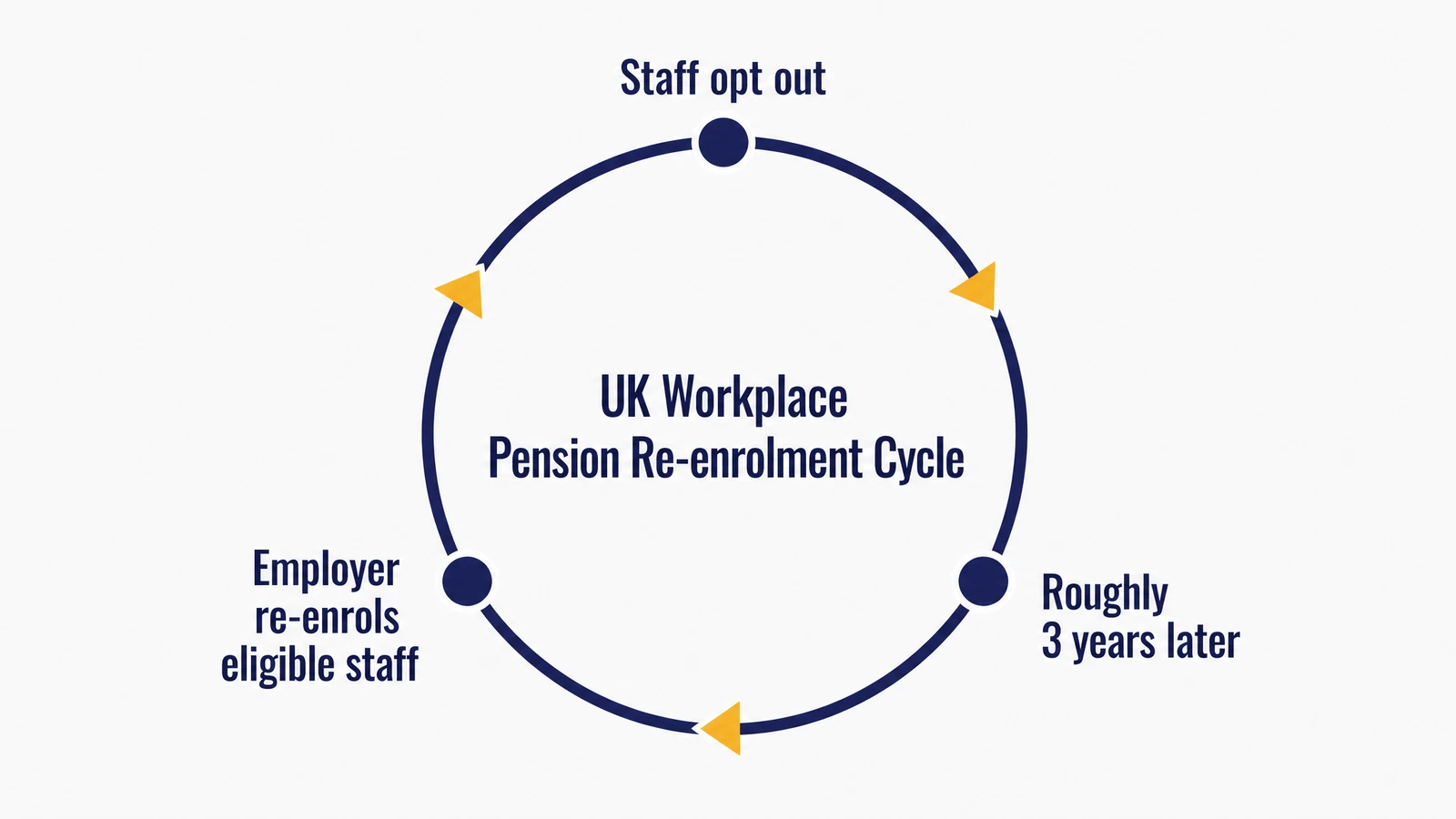
Employers cannot simply let opted-out staff stay outside a pension permanently. Roughly every three years, on a date the employer chooses, anyone who opted out or stopped contributing and still meets the eligible jobholder criteria must be re-enrolled.
Staff can opt out again if they want to, but the employer must go through the re-enrolment and communication process each cycle, then submit a fresh declaration of compliance to TPR.
Re-enrolment is not a one-off task. It repeats roughly every three years for the life of the business, and missing a cycle is treated the same as missing initial enrolment.
What Happens If Employers Don’t Comply?
The Pensions Regulator actively monitors compliance through payroll data matching and employer declarations, and enforcement has increased in recent years rather than eased off.
A first breach typically brings a compliance notice giving the employer a deadline to fix the issue. Ignoring it can lead to a fixed penalty notice of £400.
Continued non-compliance can trigger an escalating penalty that accrues daily, from £50 up to £10,000 a day depending on the size of the employer.
Directors can, in serious or repeated cases, be held personally accountable, and TPR has pursued criminal prosecutions for wilful non-compliance.
The financial risk of getting auto-enrolment wrong is almost always greater than the cost of doing it properly. A £400 fine is the cheap outcome, not the worst one.
Auto-Enrolment and Your Payroll Software
Modern payroll software, including Sage Payroll and QuickBooks Payroll, automates most of the mechanical work: assessing earnings each pay period, calculating contributions on the qualifying earnings band, generating opt-out and re-enrolment letters, and submitting data to the pension provider.
What software cannot do is replace someone who understands why the numbers land where they do. A payroll administrator who can explain a contribution calculation or spot a misclassified worker is worth more than someone who only follows the software’s prompts.
In smaller businesses, auto-enrolment administration often lands with an accounts assistant or bookkeeper rather than a dedicated payroll specialist. If that sounds like your role, our guide to what an accounts assistant actually does shows how payroll tasks fit into the wider job.
This is exactly the kind of practical, employer-facing knowledge covered on our Advanced Payroll Training course, which trains you on real payroll files using Sage Payroll and QuickBooks Payroll under the supervision of qualified accountants, with guaranteed job placement support once you finish.
If you are starting from scratch rather than building on existing experience, our Payroll Training for Beginners guide covers the fundamentals first.
Frequently Asked Questions
Do small businesses have to offer auto-enrolment?
Yes. There is no exemption for small or micro employers. Taking on a single member of staff, even part time, triggers the same legal duties as a large company.
What if a business has no eligible staff yet?
The employer still has a duties start date and must still complete a declaration of compliance confirming no one currently qualifies, rather than simply doing nothing.
Can an employee stay opted out permanently?
Not automatically. They can keep opting out at each re-enrolment date, but the employer must re-enrol eligible staff roughly every three years regardless of previous opt-outs.
Do directors of their own company need auto-enrolment?
A sole director with no other staff is usually exempt, but this changes as soon as the company takes on any other employee, even on a casual basis.
Which pension schemes qualify for auto-enrolment?
The scheme must be a qualifying scheme registered for automatic enrolment, such as NEST or The People’s Pension, or a suitable occupational or group personal pension meeting the same minimum standards.
Understanding auto-enrolment properly, not just running the software, is what separates a competent payroll assistant from a payroll professional employers trust with compliance.
If you want that depth of knowledge with real files and guaranteed placement support, take a look at our Advanced Payroll Training course. And if you are weighing up wider accounting qualifications alongside a payroll specialism, our comparison of AAT vs ACCA vs CIMA is a useful next read.