

Imagine having a skill that nearly every single UK business, from a local bakery to a FTSE 100 giant, absolutely needs. That’s the power of...
Your LinkedIn Profile Is Your Digital Handshake
Think about this: a huge 87% of UK recruiters use LinkedIn as their main platform for finding and vetting candidates. When they see your application or discover you in a search, your profile is their first stop. It needs to tell your professional story instantly.
This is your chance to shape a story that speaks directly to employers. This is especially true in specialised fields like bookkeeping, advanced payroll, and data analysis. Let’s move beyond a dry list of duties. We can turn your profile into a powerful showcase of your skills and what you can achieve.
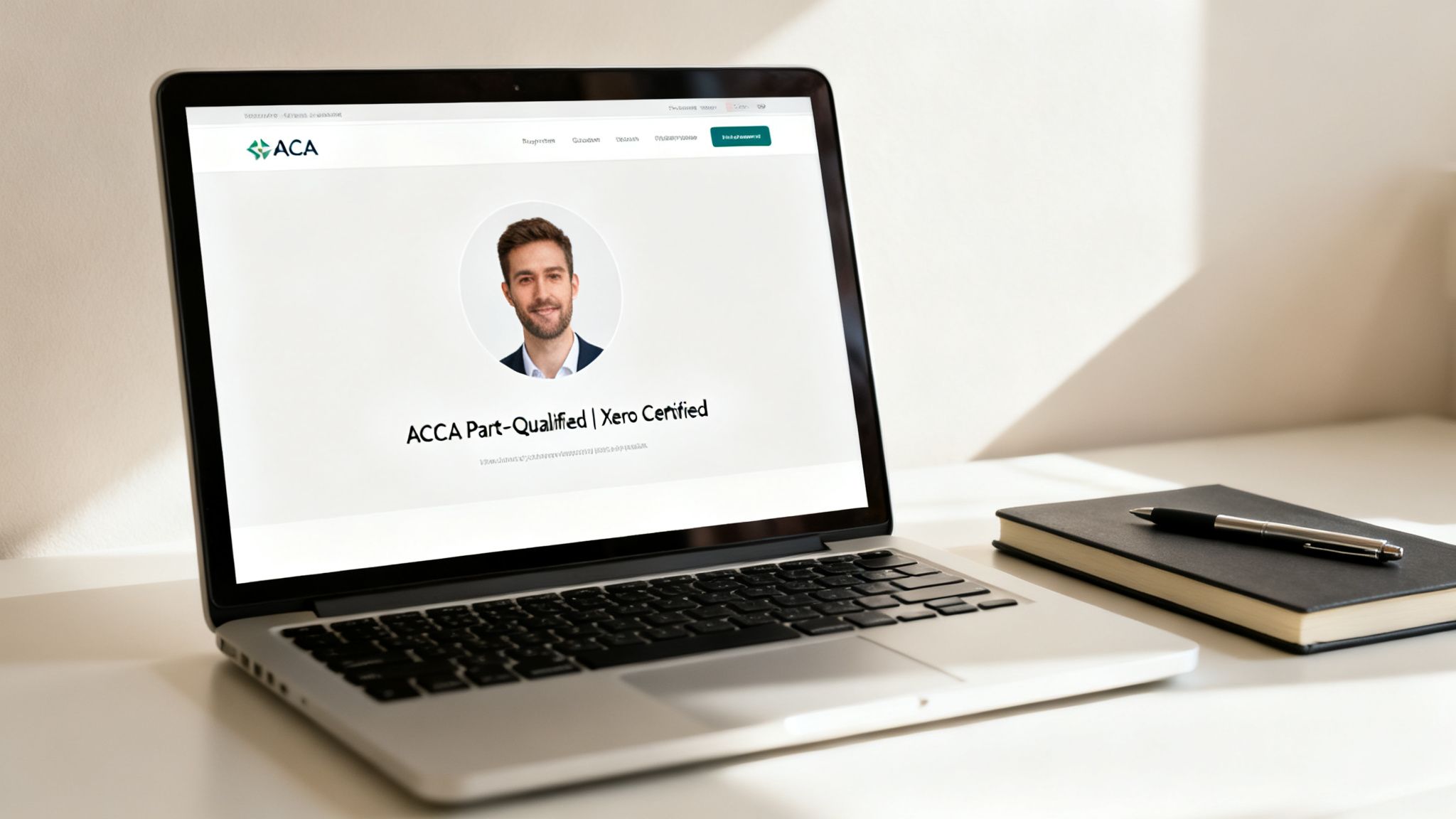
A polished and complete profile signals professionalism and attention to detail. This makes recruiters want to learn more about you.
Craft a Headline That Gets Noticed
Your headline is the most important part of your profile. It is prime real estate. It follows you everywhere on LinkedIn—in search results, comments, and connection requests. Do not just put your current job title and leave it at that.
Instead of a generic “Accounts Assistant at ABC Ltd,” make it work harder for you. Try something like these:
- “ACCA Part-Qualified Accounts Assistant | Xero & Sage Certified | Specialising in VAT Returns”
- “Aspiring Business Analyst with Python & SQL Skills | Data Visualisation Enthusiast”
- “Certified Advanced Payroll Professional | Proficient in Final Accounts Preparation”
These examples immediately tell a recruiter your qualifications, software skills, and specific expertise. They see this before they even click on your profile.
Tell Your Story in the Summary
Your ‘About’ section, or summary, is where you bring your headline to life. It is your space to connect the dots between your experience, skills, and career goals. Avoid generic buzzwords. Write with a clear, confident voice.
I have found this simple structure works wonders for making it easy to read:
- Start with a punchy one-liner: Who are you professionally and what value do you bring?
- Highlight key skills: Use a bulleted list to showcase your core strengths. For example, “Bookkeeping to Trial Balance,” “Advanced Payroll Calculations,” “Data Cleaning with Python,” or “Final Accounts Preparation.”
- State your goal: Briefly mention what you are looking for. For example, “Seeking a role as a Data Analyst where I can apply my analytical skills to drive business decisions.”
- Include a call to action: A simple “Feel free to connect or message me to discuss opportunities” works perfectly.
Transform Your Experience Section
This is where so many people go wrong. Do not just copy and paste your CV job descriptions. The Experience section should be about your achievements, not just your daily tasks. A great way to frame this is using the STAR method (Situation, Task, Action, Result).
Pro Tip: For every role, add 3-5 bullet points showcasing your impact. Numbers make your accomplishments feel real and tangible. For instance, “Processed advanced payroll for 250+ employees with 99.8% accuracy” hits much harder than “Responsible for processing payroll.”
Building a strong personal brand ties all this together. It is about creating a consistent professional identity. For a deeper dive, check out this excellent LinkedIn personal branding guide to really refine your message.
Showcase Your Skills and Certifications
The ‘Skills’ section is a goldmine for keywords that help recruiters find you. Make sure you list at least five core skills relevant to the jobs you want. This could include “Bookkeeping,” “VAT Returns,” “Advanced Payroll,” “SQL,” or “Business Analysis.” Then, get endorsements from former colleagues or trainers—it adds a layer of social proof.
This is also the perfect spot to show off your certifications. Listing qualifications like “Certified in Advanced Payroll” or “Accounts Assistant Practical Training” gives recruiters instant confirmation of your abilities. You can learn more about how to boost your CV with certified payroll training and apply the same logic here.
Do not forget the ‘Featured’ section. If your training involved a project, upload it. A dashboard you built as a data analyst trainee or a final accounts project is a powerful visual. It makes you stand out from the crowd.
To help you pull this all together, here is a quick checklist you can use. It will ensure your profile is ready for your job search.
Profile Optimisation Checklist for Finance and Data Roles
This table gives you a simple, actionable framework to follow. Work through each section. You will have a profile that is built to attract recruiters.
| Profile Section | Key Action for Job Seekers | Example for an Accounts Assistant |
|---|---|---|
| Headline | Pack with keywords, qualifications, and specialisms. Go beyond your job title. | “ACCA Part-Qualified Accounts Assistant | Xero & Sage Certified | VAT Returns & Final Accounts” |
| About (Summary) | Tell a compelling story using a scannable, bullet-pointed format. State your goals. | “Detail-oriented Accounts Assistant with hands-on experience in bookkeeping and final accounts… Seeking a role in a dynamic finance team.” |
| Experience | Focus on achievements, not duties. Use numbers and the STAR method to show impact. | “Reconciled bank statements for 5+ company accounts, identifying and resolving discrepancies to reduce month-end closing time by 15%.” |
| Skills | List at least 5 core, relevant skills and get endorsements for your top three. | “Bookkeeping, VAT Returns, Final Accounts, Sage 50, Advanced Payroll, Microsoft Excel.” |
| Featured | Upload tangible proof of your skills, like project work, certificates, or a portfolio. | A PDF of a final accounts preparation project or a link to a data dashboard created during training. |
| Education & Certs | List all relevant qualifications, especially industry-recognised training courses. | “Advanced Payroll Training – Professional Careers Training” or “ACCA – Part-Qualified”. |
Once you have ticked off every item on this list, your LinkedIn profile will be working for you around the clock. It will draw in the right kind of attention and set you up for success in your job hunt.
Navigating the LinkedIn Job Search Engine
Okay, your profile is polished and ready to go. Now for the fun part: mastering the LinkedIn job search engine. Most people just type a job title and location into the search bar and hope for the best. We are going to go much deeper.
Treating LinkedIn like a precision tool will completely change the quality of roles you find. This is where you shift from passively scrolling to actively hunting down the perfect opportunity in bookkeeping, payroll, or data analytics.

Let’s look at how to get LinkedIn’s powerful features working for you, not against you.
Go Beyond Basic Keyword Searches
That simple search bar is more powerful than it looks. The secret is using special commands, known as Boolean operators. These tell the algorithm exactly what you want to see. This single technique is a game-changer.
Here are the ones you need to know:
- Quotes (“”): Use these to find an exact phrase. Searching for “Accounts Assistant” ensures you only see roles with that specific title, cutting out all the noise.
- AND: This tells LinkedIn that all your keywords must be included. A search for “Business Analyst” AND “SQL” will only return jobs that mention both terms. It is perfect for narrowing your results.
- OR: Use this to broaden your search when you are open to similar roles. For instance, “Bookkeeping” OR “VAT” will show you jobs related to either skill.
- NOT: This is for excluding terms you do not want. A search like “Data Analyst” NOT “Manager” will filter out any senior or management positions.
Real-World Example: Let’s say you’re looking for a role in final accounts but want to avoid trainee positions. Your search could be: (“Final Accounts” OR “Year End Accounts”) AND “Assistant” NOT “Trainee”. See how specific that is? It instantly refines your results.
By combining these operators, you take back control from the algorithm. You will stop wasting time on irrelevant job posts.
Use Filters to Pinpoint Your Ideal Role
Once you have run your initial search, do not ignore the filters at the top of the page. They are your best friend for slicing and dicing the results to match what really matters to you.
Applying filters is how you turn thousands of listings into a manageable, highly relevant shortlist. You can refine your search by:
- Date Posted: This one is crucial. Always filter by “Past 24 hours” or “Past week.” Getting your application in within the first few days of a posting can massively increase your chances of being noticed.
- Experience Level: Be honest but strategic here. If you are fresh out of a training course, stick to “Entry level” and “Associate” roles to focus your efforts.
- Company: Got your eye on a specific company? You can filter for them directly. You can even search for jobs at companies where people in your network already work.
- Job Type: Whether you’re after “Full-time,” “Part-time,” or “Contract,” this filter helps align the search with your personal circumstances.
Filtering properly means you can focus your energy where it will have the most impact.
Set Up Intelligent Job Alerts
The final piece of the puzzle is making the search engine work for you even when you’re not online. Instead of running the same search every single day, just save it as a job alert.
After you have perfected your search with Boolean operators and applied your filters, you will see an option to “Set alert.” Flick this on. LinkedIn will send you a daily or weekly email with new jobs that match your exact criteria.
You can set up several alerts for different roles or locations. For example:
- Alert 1: “Advanced Payroll Specialist” in Manchester (Full-time, posted in the last week)
- Alert 2: “Trainee Data Analyst” in London (Entry level, with “SQL” in the description)
This proactive approach means you will be among the first to know when your dream job is advertised. No more missed opportunities—just a streamlined and efficient job hunt.
Building Your Professional Network with Purpose
An optimised profile and a smart search strategy will get you far. But the real power of LinkedIn lies in its name: the network. Many job seekers make the mistake of simply collecting connections like trading cards. We will focus on a different approach: building a smaller, more powerful network of meaningful professional relationships.
Think of it this way: a well-nurtured network of 100 relevant connections is far more valuable than 500 random ones. Quality trumps quantity every single time. It is these purposeful connections that lead to hidden opportunities, referrals, and priceless industry insights.

The Art of the Personalised Connection Request
Never, ever send a connection request without a personalised note. The generic “I’d like to add you to my professional network on LinkedIn” is the digital equivalent of a limp handshake. It is forgettable and shows a complete lack of effort.
Your goal is to give the person a clear reason to accept. A short, polite, and specific note can make all the difference. Remember, you only have 300 characters, so you need to make them count.
Here is a simple formula you can adapt:
- Acknowledge them: Mention a shared connection, university, or something you admire about their work.
- State your purpose briefly: Explain why you want to connect.
- Keep it professional and concise: Respect their time.
Customisable Message Templates for Your Job Search
Let’s apply this to some real-world scenarios for someone in the bookkeeping, payroll, or data analytics field.
Scenario 1: Connecting with a Recruiter
You have found a recruiter who specialises in placing candidates in finance roles. Do not just hit connect; give them context.
Template:
“Hi [Recruiter’s Name], I saw your profile notes you specialise in finance recruitment. I am an Accounts Assistant with skills in bookkeeping, VAT, and final accounts. I am exploring new opportunities and would be grateful to connect and be on your radar for any suitable roles.”
Scenario 2: Reaching Out to an Alumnus
You have found someone who graduated from your university and now works as a Business Analyst at a company you admire. This shared background is your way in.
Template:
“Hi [Alumnus’s Name], I noticed we both studied at [University Name]. I’m an aspiring Business Analyst currently completing my training in SQL and Power BI. I’m very impressed by the work [Their Company] is doing and would love to connect with a fellow alumnus in the field.”
These simple, personalised notes transform a cold request into a warm, professional introduction.
Asking for Informational Interviews
Once you have made a connection, the next step can be asking for an “informational interview.” This is not a job interview. It is a brief, informal chat to learn more about their role, company, or career path. It is an excellent way to gain insights and get on a company’s radar without directly asking for a job.
Be sure to wait a few days after they accept your connection request before sending this message.
Informational Interview Request Example:
“Hi [Name], thank you again for connecting. I’m really keen to learn more about the day-to-day life of a Data Analyst at a firm like yours. If you have 15 minutes to spare in the coming weeks for a brief chat about your experience, I would be very grateful. I understand you’re very busy, so no problem at all if not.”
This approach is respectful of their time. It positions you as a proactive, curious professional. You will be surprised how many people are happy to share their advice with those just starting out. Our team often provides coaching on these interactions. You can learn more about how we help with guaranteed recruitment support.
By focusing on genuine, purposeful networking, you move from being just another applicant to becoming a known and respected contact in your industry. This is how you use LinkedIn for a job search that yields long-term results.
Using Content to Showcase Your Expertise
Having a perfectly polished profile is a great start. But let’s be honest—it’s a passive strategy. To really stand out in a crowded market, you need to be an active, visible member of your professional community. This means creating and engaging with content that shows you are genuinely passionate and knowledgeable about your field.
Do not worry, you do not need to become a professional writer or a social media guru overnight. The goal is simply to show you are switched on. This kind of activity signals to recruiters that you are not just looking for any job. You are invested in your career and stay up-to-date with your industry.

A little consistent effort here can make a huge difference to your visibility and credibility.
Start with Smart Engagement
Before you think about posting your own material, the easiest way to get going is by engaging with what others are sharing. It is a simple but powerful way to learn, network, and appear in the feeds of people who matter.
Your daily LinkedIn routine could be as simple as spending 10 minutes doing this:
- Follow Industry Leaders: Find and follow key figures and companies in UK bookkeeping, payroll, and data analytics. Think major firms, thought leaders, and software providers like Sage or Xero.
- Leave Thoughtful Comments: When they post something interesting—like an update on VAT regulations or a new data visualisation technique—leave a meaningful comment. Go beyond just “great post.”
- Ask Insightful Questions: A comment like, “This is a really interesting take on the latest HMRC update. Has anyone seen how this might affect small businesses using Sage?” adds genuine value and kicks off a conversation.
This simple act puts your name and headline in front of a highly relevant audience. A hiring manager for a final accounts role will be far more impressed by a candidate who actively discusses industry changes than one who is silent.
Creating Your Own Simple Content
The thought of creating your own posts might feel a bit daunting. But it is much easier than you think. You are not trying to go viral; you are just showcasing what you know. In fact, your training courses are a goldmine of content ideas.
Think about something you have recently learned or a project you have completed during your training. You can turn these experiences into simple, effective posts that highlight your skills in a natural way.
Key Insight: You do not need to be an expert to share your journey. Documenting what you are learning is just as powerful as teaching a topic. It shows initiative, a willingness to learn, and a passion for your field—all qualities recruiters are desperate to find.
Practical Content Ideas for Your Field
Let’s make this real. Here are some simple post ideas you could adapt based on what you are learning in your training with us:
For Bookkeeping, VAT & Accounts Assistant Candidates:
- Share a Tip: “A quick tip for anyone new to VAT returns: using accounting software’s built-in checks can save hours on reconciliation each month. It was a game-changer for a final accounts project I just completed.”
- Talk About a Project: “Just finished a practical project on preparing final accounts for a mock business. It was a great exercise in applying bookkeeping principles from start to finish. #Bookkeeping #FinalAccounts”
For Data & Business Analyst Candidates:
- Showcase a Project: Post a screenshot of a dashboard you built. “Had a great time using Power BI to visualise payroll data for a recent training project. It’s amazing how a good dashboard can reveal hidden trends. #DataAnalysis #PowerBI”
- Share a Learning Moment: “I have been diving into SQL joins this week. The difference between INNER and LEFT JOINs finally clicked for me when I applied it to a real business dataset. #SQL #BusinessAnalyst”
Beyond just creating content, understanding how to post on LinkedIn for maximum impact is crucial. It ensures your messages resonate effectively with your professional network and potential employers. The goal is consistency, not complexity. A couple of these simple, insightful posts each week will keep your profile active and demonstrate your growing expertise.
The Art of Professional Outreach and Follow Up
Hitting LinkedIn’s ‘Easy Apply’ button is just the first step. Where you really gain an edge is in what you do next. A professional, well-timed, and respectful message can transform your application from just another digital file into an active conversation. It shows you are proactive and genuinely interested.
This is your chance to show your enthusiasm and professionalism in a way your CV cannot. So many job seekers just apply and wait. A smart follow-up can make you memorable to a hiring manager who might be looking at hundreds of applications. The key is to be persistent without being pushy.
Identifying the Right Person to Contact
Once you have applied, the first challenge is figuring out who to message. Sending a note to the wrong person is a waste of time. Your goal is to find the most relevant individual—someone who is likely involved in the hiring decision.
Here is a quick guide to help you pinpoint them:
- The Recruiter or Talent Acquisition Specialist: If a recruiter posted the job, they are your first and best point of contact. They handle the initial screening.
- The Hiring Manager: Look for the Head of Department or Team Lead for the role you have applied for. For an Accounts Assistant role, this might be the ‘Head of Finance’. For a data analyst position, look for the ‘Lead Data Analyst’.
- The Department Head: In smaller companies, the overall head of the department (like the ‘Finance Director’) might be directly involved and is a good person to reach out to.
You can usually find these people by searching on the company’s LinkedIn page and clicking on the ‘People’ tab.
Crafting a Respectful Follow-Up Message
Your follow-up message needs to be brief, professional, and add a bit of value. The goal is to gently remind them of your application and confirm your interest. The last thing you want to do is demand a response; instead, think of it as a polite check-in.
Pro Tip: I always advise waiting about a week after applying before sending a follow-up. This gives the recruitment team enough time to have gone through the first wave of applications.
Here is a simple and effective template you can adapt:
“Hi [Name],
I hope you’re having a good week. I recently applied for the [Job Title] position, and I was particularly excited to see the role required [mention a key skill, e.g., ‘final accounts preparation’ or ‘SQL and Power BI’], as my training aligns well with that.
I’m very enthusiastic about the opportunity to potentially contribute to your team.
Best regards,
[Your Name]”
This approach is polite and direct. It quickly highlights your key qualifications without sounding demanding.
Staying Top of Mind After an Interview
Your engagement should not stop once the interview is over. This is a critical time where you can subtly reinforce the positive impression you made.
One of the best ways to do this is by engaging with the company’s content. If they post an article about a new project or an industry trend, leave a thoughtful comment. It shows you are paying attention and are invested in what the company is doing.
This simple act keeps your name visible in a professional and non-intrusive way. It reinforces that you are an engaged and interested candidate.
Outreach and Follow-Up Scenarios
Knowing when and how to reach out can make all the difference. Here is a quick comparison of different scenarios to help guide your strategy for maximum impact.
| Scenario | Recommended Action | Why It Works |
|---|---|---|
| One week after applying | Send a brief LinkedIn message to the recruiter or hiring manager. | It shows you are still keen and brings your profile back to their attention among a sea of applicants. |
| 24 hours after an interview | Send a thank-you email or LinkedIn message to the interviewer(s). | This reinforces your professionalism. It gives you a chance to briefly reiterate a key point you discussed. |
| During the waiting period | Engage with the company’s or interviewer’s LinkedIn posts. | It keeps you on their radar in a subtle, positive way without you having to send another direct message. |
A smart follow-up strategy is not about chasing a response. It is about building a professional connection and showing you are the kind of engaged, proactive person they want on their team.
Your LinkedIn Job Search Questions Answered
When you are deep in a job search, it is easy to get bogged down with questions about using LinkedIn effectively. A few clear answers can make all the difference. They can turn a frustrating process into a successful one.
Here, we will tackle some of the most common queries we hear from professionals aiming for roles in bookkeeping, payroll, and data analysis. Think of this as your no-nonsense guide to clearing those hurdles. You can then focus on what really matters—landing that next great job.
How Often Should I Be Active on LinkedIn During My Job Search?
When it comes to your job search, think consistency, not intensity. It is far better to spend a focused 15-20 minutes on LinkedIn every day than to log on for hours once a week.
This daily check-in keeps your profile active in the algorithm. It ensures you are consistently visible to recruiters and your network. It is about smart, sustainable engagement that will not lead to burnout.
So, what does this daily activity look like?
- Scan your feed for interesting posts from industry leaders and leave a thoughtful comment.
- Send 2-3 personalised connection requests to recruiters or people working at companies you are targeting.
- Take a quick look at your saved job searches for any new postings.
This steady rhythm builds momentum and keeps your job hunt moving forward.
Is LinkedIn Premium Worth the Cost When Looking for a Job?
LinkedIn Premium can be a handy tool, but it is definitely not a must-have for a successful job search. Its main perks for job seekers are seeing who has viewed your profile, getting InMail credits to message people outside your network, and having access to more detailed application insights.
Our advice? First, squeeze every drop of value out of the free features we have covered in this guide. A fully optimised profile, a smart search strategy, and purposeful networking will get you 90% of the way there.
If you feel like you have hit a wall after a month or two, then it might be time to consider the one-month free trial of Premium Career. It is a no-risk way to see if the extra features give your search the boost it needs without any financial commitment.
What Is the Biggest Mistake People Make on LinkedIn When Job Hunting?
Without a doubt, the single biggest mistake is being passive. Too many people create a profile, list their experience, and then just wait for recruiters to come knocking. That is the digital equivalent of leaving your CV on a table in a crowded room and just hoping for the best.
To get results, you have to be an active participant. That means consistently taking the actions we have been talking about:
- Optimising your profile with the right keywords for roles in bookkeeping, VAT, or data analysis.
- Actively searching for jobs using Boolean operators and smart filters.
- Building your professional network with intention.
- Engaging with relevant content to show your passion and expertise.
An active, hands-on approach will always win out over a passive one. This is a core idea we stress when showing how our courses help students get job ready. Having the right skills is only half the battle—you also need the right strategy.
How Can I Use LinkedIn if I Am a Career Changer with No Direct Experience?
If you are changing careers, LinkedIn is your stage to tell a powerful story of transition. For you, the ‘About’ section is not just a summary; it is the most important real estate on your profile.
Use it to connect the dots for recruiters. Explain why you are making the move. Highlight the transferable skills from your past career and show how they apply to your new field. For example, moving from retail management to a business analyst role? You would talk up your experience with budget management, sales data analysis, and team leadership.
Your ‘Skills’ section is also crucial. Pack it with keywords relevant to your new career, not your old one. Most importantly, feature any new certifications or training you have completed. This provides concrete proof of your new skills. It shows you are serious about the change, which makes you a far more credible candidate in the eyes of a recruiter.
At Professional Careers Training, we provide the practical skills and dedicated recruitment support to help you master every aspect of your job search. From optimising your LinkedIn profile to preparing for interviews, we are here to guide you.
Ready to turn your training into a career? Explore our courses at https://professionalcareers-training.co.uk.