If you work in construction, or you're training to handle the books for a building business, you've probably come across the VAT domestic reverse charge....
If you’re VAT registered, you don’t just charge VAT and get on with your day. Every accounting period, you have to work out exactly how much VAT you owe HMRC, or how much they owe you, and file a return that proves it.
Get it wrong and you can end up paying more than you should, missing a refund you’re owed, or picking up a penalty for a mistake that was entirely avoidable.
This guide walks through what a VAT return actually contains, when it’s due, and how to complete and submit one correctly. If you haven’t registered for VAT yet, start with our guide to VAT registration in the UK.
If you want the detail on the digital record-keeping rules you need in place before you file, see our guide to Making Tax Digital for VAT. This one picks up from there: you’re registered, you’re keeping digital records, and now it’s time to actually file.
Getting your return right matters beyond just staying on HMRC’s good side. An error that understates VAT due means paying interest on top of the shortfall later, and an error that overstates it means handing HMRC money you didn’t need to, sometimes for months, before anyone notices.
For a bookkeeper or accounts assistant, this is one of the most common tasks you’ll actually be judged on in the job.
What Is a VAT Return and Who Needs to Submit One
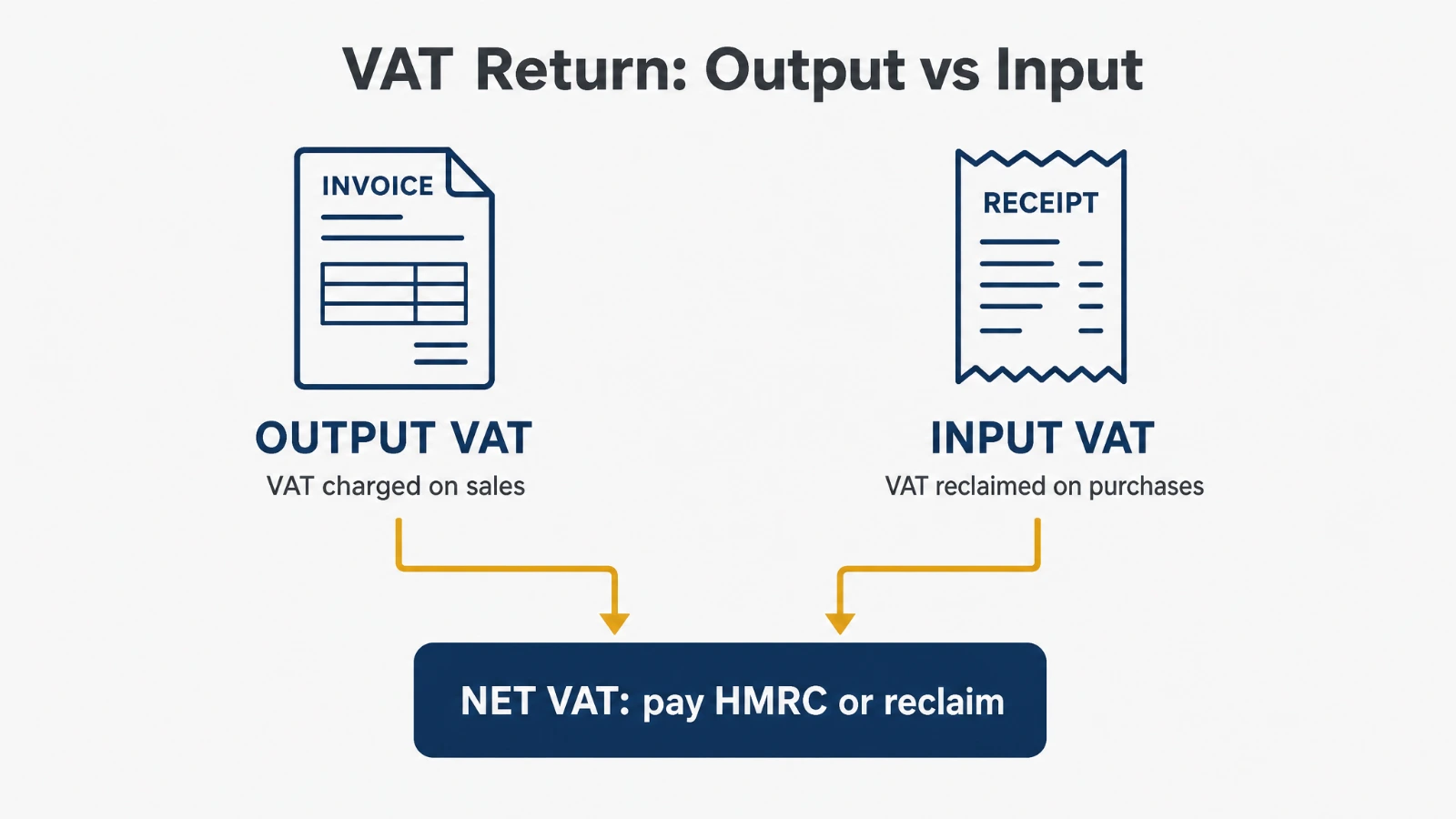
A VAT return is a summary of the VAT you’ve charged and the VAT you’ve paid over a set period, usually three months. It shows HMRC how much VAT is due on your sales (output tax), how much VAT you can reclaim on your purchases (input tax), and the difference between the two.
If output tax is higher than input tax, you pay HMRC the difference. If input tax is higher, HMRC owes you a refund. Either way, you have to submit a return, even in a quarter where you have nothing to declare.
Every VAT registered business has to file returns, regardless of size or turnover. Most businesses file quarterly, but some file monthly (often because they’re regularly reclaiming VAT and want refunds sooner) and some use the Annual Accounting Scheme, which spreads payments across the year with one return at the end.
A VAT return is simply output tax minus input tax for the period. Every VAT registered business must file one, on time, even when there’s nothing to pay or reclaim.
When VAT Returns Are Due
The standard quarterly deadline
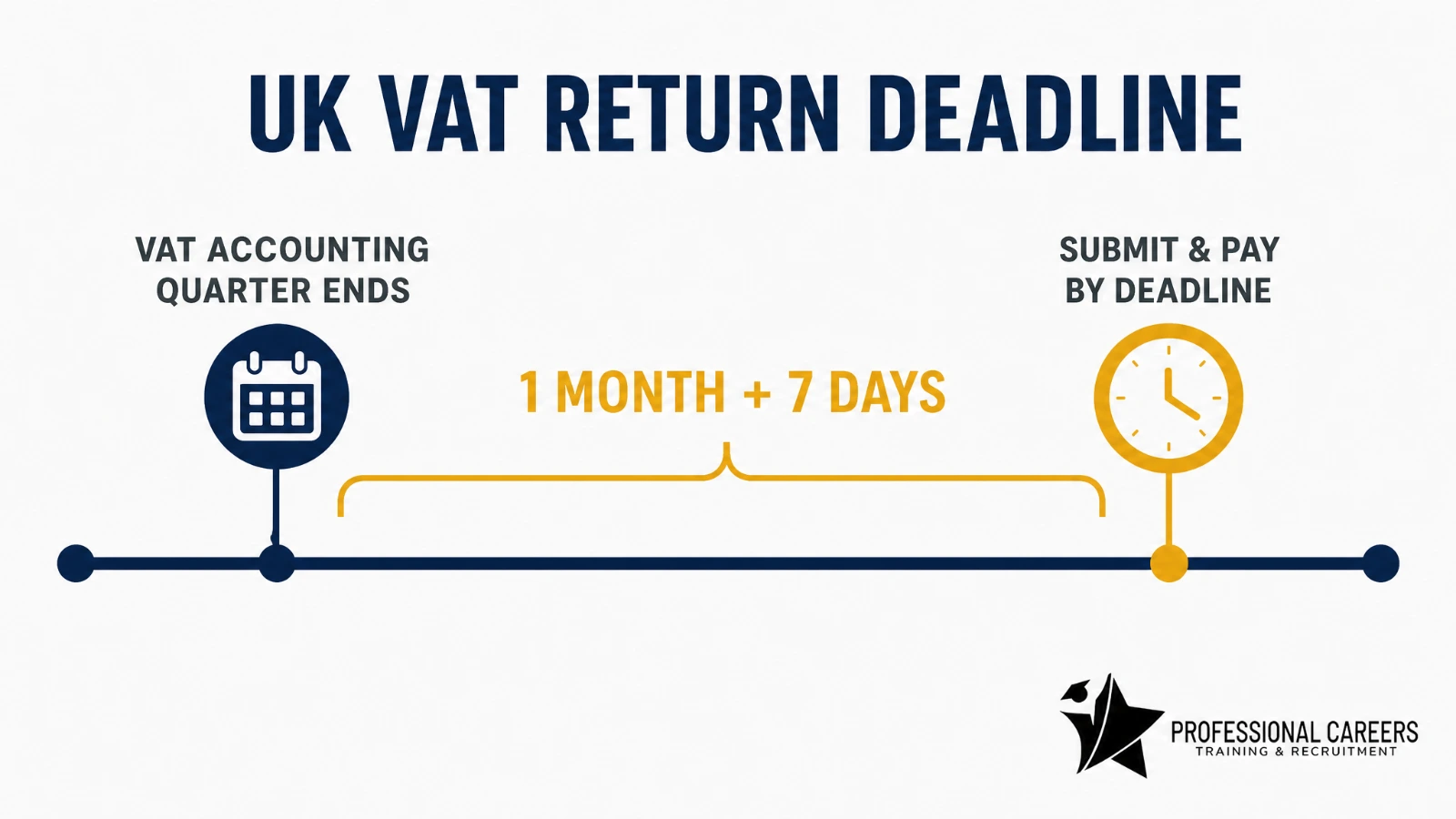
For most businesses, the deadline to submit your return and pay any VAT owed is one calendar month and seven days after the end of your accounting period. This same deadline applies whether you’re due to pay HMRC or waiting on a refund from them, and it applies even if the date falls on a weekend or bank holiday, as set out in HMRC’s own guidance on VAT return deadlines.
Your accounting periods are set when you register and are usually one of three staggered quarterly cycles. You can check your exact dates any time in your VAT online account.
Monthly and annual filers
Monthly filing works on the same one-month-and-seven-day rule, just applied every month instead of every quarter. Businesses on the Annual Accounting Scheme file one return a year but make advance payments on account throughout the year, based on their previous year’s VAT bill, with a final balancing payment due alongside the return.
| Accounting period ends | Submit and pay by |
|---|---|
| 31 March | 7 May |
| 30 June | 7 August |
| 30 September | 7 November |
| 31 December | 7 February |
What You Need Before You Start
MTD-compatible software
Since April 2022, every VAT registered business has to keep digital records and file through Making Tax Digital compatible software, such as Xero, QuickBooks, Sage or FreeAgent. You can’t type figures straight into HMRC’s website any more. See our full Making Tax Digital for VAT guide for what counts as a compliant digital link.
The records to gather
Before you sit down to file, you need every sales invoice and purchase invoice or receipt for the period, your VAT account (the summary your software keeps of VAT charged and reclaimed), and bank statements to reconcile against.
You also need details of anything unusual that period: bad debts, EU or import transactions, or purchases with restricted VAT recovery such as business entertaining or most cars.
You also need to keep all of this afterwards, not just gather it beforehand. HMRC requires VAT records, invoices and your VAT account to be kept for at least six years, whether that’s digitally within your software or as scanned copies, in case of a future VAT inspection.
The 9 Boxes on a VAT Return, Explained
Every VAT return, whatever software you use, is built around the same nine boxes. Your software calculates most of these automatically from the transactions you’ve recorded, but you should always know what each one means so you can spot an error before you submit.
| Box | What it shows |
|---|---|
| 1 | VAT due on sales and other outputs |
| 2 | VAT due on acquisitions of goods into Northern Ireland from EU member states |
| 3 | Total VAT due (box 1 plus box 2) |
| 4 | VAT reclaimed on purchases and other inputs |
| 5 | Net VAT to pay to HMRC or reclaim (the difference between boxes 3 and 4) |
| 6 | Total value of sales and other outputs, excluding VAT |
| 7 | Total value of purchases and other inputs, excluding VAT |
| 8 | Total value of goods supplied to EU member states from Northern Ireland |
| 9 | Total value of goods acquired from EU member states into Northern Ireland |
Boxes 2, 8 and 9 only apply if you move goods between Northern Ireland and the EU. For most UK businesses trading only within Great Britain, these stay at zero.
Box 5, the amount you actually pay or reclaim, is just box 3 minus box 4. Everything above it exists to show HMRC how you got to that number.
Step-by-Step: How to Complete and Submit Your Return
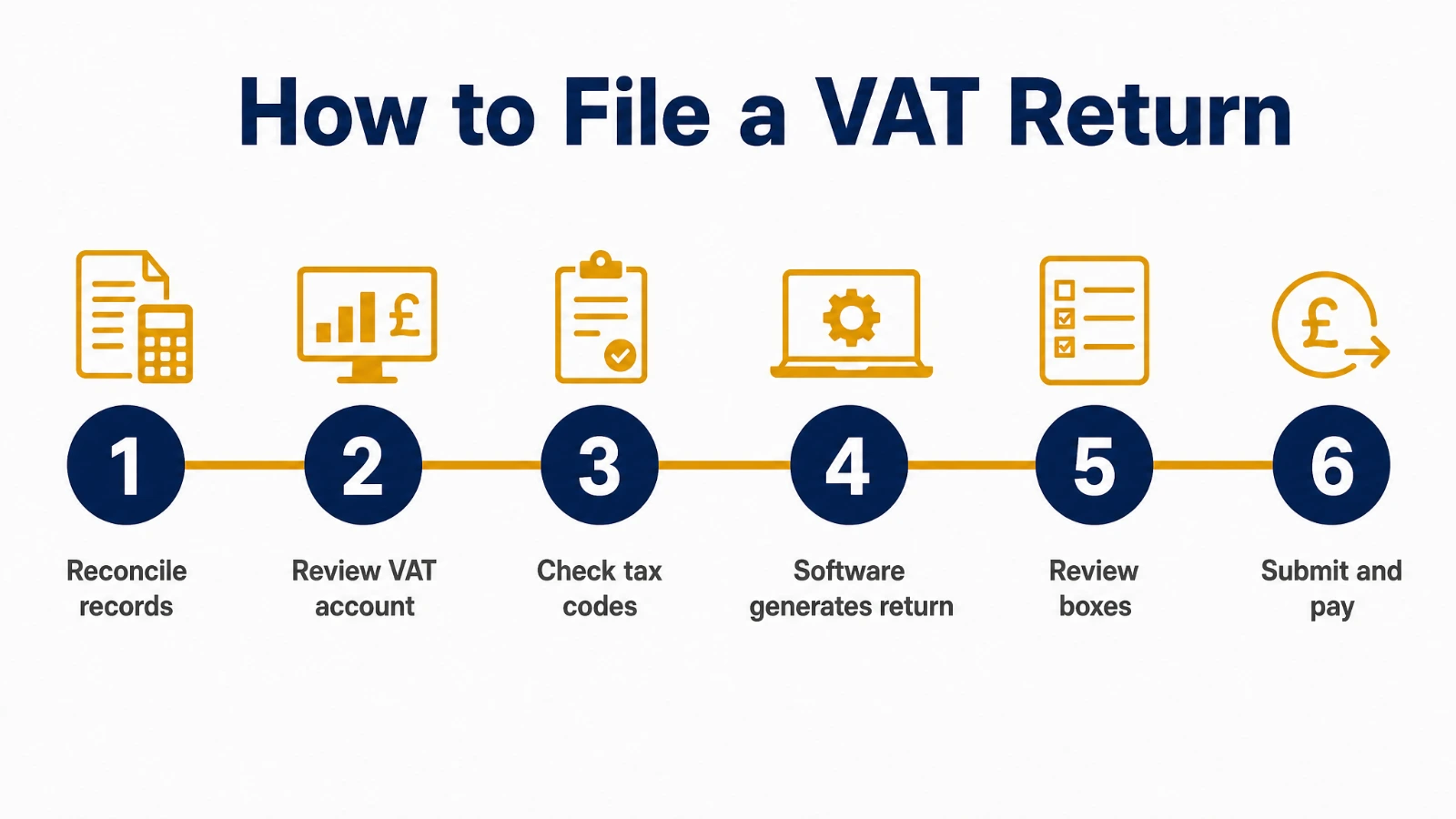
- Reconcile your records. Match every sales and purchase invoice for the period against your bank statements, and check nothing is missing or duplicated.
- Review your VAT account. Your software builds this automatically as you record transactions, but check it against your invoices rather than trusting it blindly, particularly for anything unusual that period.
- Check VAT liability on each transaction. Confirm nothing has been coded at the wrong rate, standard, reduced or zero, and that any exempt income hasn’t been treated as VAT-able.
- Let your software generate the return. Your MTD-compatible software pulls the figures into the nine boxes automatically from your recorded transactions.
- Review every box before submitting. Check the numbers make sense against last quarter’s figures and your own expectations, not just that the software produced something.
- Submit digitally through MTD software. The submission goes straight from your software to HMRC using a digital link; there’s no separate portal to log the figures into by hand.
- Pay what’s owed by the deadline. Set up a Direct Debit through your VAT online account so payment collects automatically, or pay manually well before the deadline to allow clearing time.
Common VAT Return Mistakes
Most VAT return errors aren’t caused by complicated transactions. They’re caused by rushing, or by trusting the software’s output without checking it against the actual invoices. The same handful of mistakes come up again and again:
- Reclaiming VAT on expenses where it isn’t allowed, such as most business entertaining or the VAT on a car unless it’s used exclusively for business.
- Missing the effective date for a VAT rate change on a specific product or service, and charging the old rate.
- Treating exempt or outside-the-scope income as zero-rated, which affects your VAT recovery position differently.
- Filing based on invoice date instead of the correct scheme, cash accounting or accrual, for your business.
- Double-counting an expense that’s already included in a supplier statement or a separate mileage claim.
- Leaving the return until the deadline, so there’s no time to query anything that looks wrong before submitting.
Most of these show up as a number that looks off compared with a typical quarter. That’s exactly why the review step in the process above matters: a quick sense check against last quarter’s figures catches far more errors than a careful read-through of individual transactions ever does.
Correcting an Error After You’ve Submitted
Errors you can fix on your next return
If you spot an error after filing, you don’t always need to go back and amend the original return. Where the net error is £10,000 or less, or between £10,000 and £50,000 but under 1% of your total sales for the period, you can simply adjust for it on your next VAT return, adding the value to box 1 or box 4 as appropriate.
For example, a business that discovers it under-claimed £3,000 of input tax two quarters ago just adds that £3,000 to box 4 on its current return, rather than reopening the old one.
Errors you must report separately
Larger or deliberate errors can’t be quietly folded into the next return. You must tell HMRC separately, using form VAT652, about any net error over £50,000, any error over £10,000 that’s also more than 1% of your total sales, or any error that was deliberate regardless of size.
Keep a record of when you found the error, how it happened, and the VAT amount involved either way.
What Happens If You File or Pay Late
The penalty points system
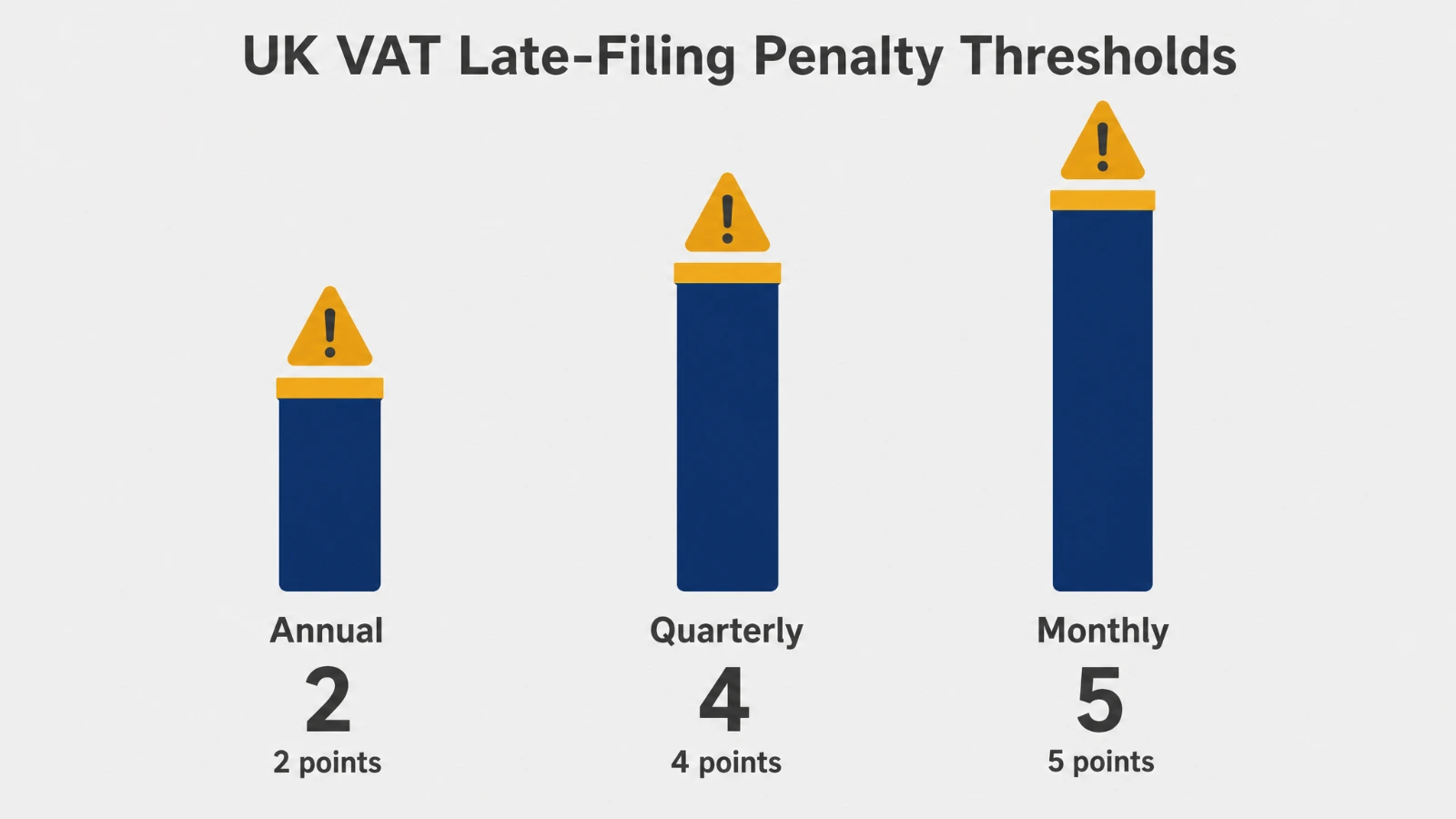
For accounting periods starting on or after 1 January 2023, late submission works on a points system rather than an automatic fine. You get one penalty point for each return you submit late. Once you reach your threshold, you get a flat £200 penalty, and another £200 for every further late return while you’re at that threshold, detailed in full in HMRC’s guidance on penalty points and penalties for late VAT returns. Our full guide to how the VAT penalty points system works walks through the thresholds and reset periods in more depth.
| Filing frequency | Penalty point threshold |
|---|---|
| Annual returns | 2 points |
| Quarterly returns | 4 points |
| Monthly returns | 5 points |
Late payment penalties and interest
Paying late is treated separately from filing late. The penalty increases the longer the payment is outstanding, with the charge stepping up after 16 days and again after 31 days. On top of that, HMRC charges late payment interest from the first day your payment is overdue until it’s paid in full, calculated daily.
Filing on time and paying on time are tracked separately. It’s entirely possible to file a return right on the deadline and still be charged interest because the payment cleared a day late.
Getting Hands-On With VAT Returns as Part of Your Training
Reading about VAT returns is one thing. Actually reconciling records, working through the nine boxes and filing through MTD software with someone checking your work is another.
Our Bookkeeping & VAT Training course covers VAT returns as a core, practical part of the syllabus alongside double entry bookkeeping and the software tools employers actually use day to day, which we cover in our guide to the software we teach on the course.
You’ll work through real VAT scenarios rather than just reading theory, so by the end you can sit down with a set of records and complete a return with confidence rather than guessing at what a client or employer expects.
Every course comes with CPD certification and guaranteed recruitment support once you’ve completed it, so the skills you build translate directly into a job, not just a certificate.
How often do I need to submit a VAT return?
Most businesses file quarterly, but some file monthly and some use the Annual Accounting Scheme with one return a year plus advance payments on account. Your exact accounting periods are set when you register and are visible in your VAT online account.
Do I still need to file a VAT return if I have nothing to declare?
Yes. Every VAT registered business must submit a return for every accounting period, even a nil return, until they deregister. Missing a nil return still counts as a late submission and can still add a penalty point.
Can I submit a VAT return without accounting software?
No, not since April 2022. Making Tax Digital rules mean every VAT registered business must keep digital records and file through MTD-compatible software such as Xero, QuickBooks, Sage or FreeAgent, rather than typing figures directly into HMRC’s website.
What’s the difference between output tax and input tax?
Output tax is the VAT you charge customers on your sales. Input tax is the VAT you’re charged on business purchases and can reclaim. Your VAT return works out the difference between the two for the period.
Can a bookkeeper or accountant submit a VAT return on my behalf?
Yes. Many businesses have a bookkeeper or accountant prepare and file VAT returns for them through the same MTD-compatible software, provided they’re authorised as your agent with HMRC.